Best Remove.bg Alternatives for Ecommerce Sellers 2026 — I Tested Free Background Removal Tools on Real Product Photos
⚡ Quick Verdict
⚡ Quick Comparison Tool Best For Price Phot.ai Overall best alternative From $49/mo PhotoRoom Mobile-first solution Free / Pro $9.99/mo Pixelcut Template-based product shots $15/mo (7-day free trial) Clipping Magic Batch background removal From $0.49/image…
⚡ Quick Comparison
| Tool | Best For | Price |
|---|---|---|
| Phot.ai | Overall best alternative | From $49/mo |
| PhotoRoom | Mobile-first solution | Free / Pro $9.99/mo |
| Pixelcut | Template-based product shots | $15/mo (7-day free trial) |
| Clipping Magic | Batch background removal | From $0.49/image |
| Canva | Free option with editing | Free / Pro $12.99/mo |
Best Remove.bg Alternatives for Ecommerce Sellers (2026) — I Tested 6 Tools So You Don’t Have To
Best Remove.bg Alternatives for Ecommerce Sellers (2026) — I Tested 6 Tools So You Don’t Have To
Cost to process 200 product photos/month
| Rank | Tool | Monthly Cost | Free HD Output? |
|---|---|---|---|
| ❌ | Remove.bg (baseline) | $35.10/mo | ❌ (0.25MP only) |
| 🥇 | Phot.ai | $49/mo | ✅ Free trial available |
| 🥈 | PhotoRoom | $12.99/mo | ✅ Yes |
| 🥉 | Pixelcut | $0–$19.99/mo | ✅ Yes |
Remove.bg pricing based on Pro subscription (200 credits/mo at $35.10). Pay-as-you-go costs even more at $0.90/image.
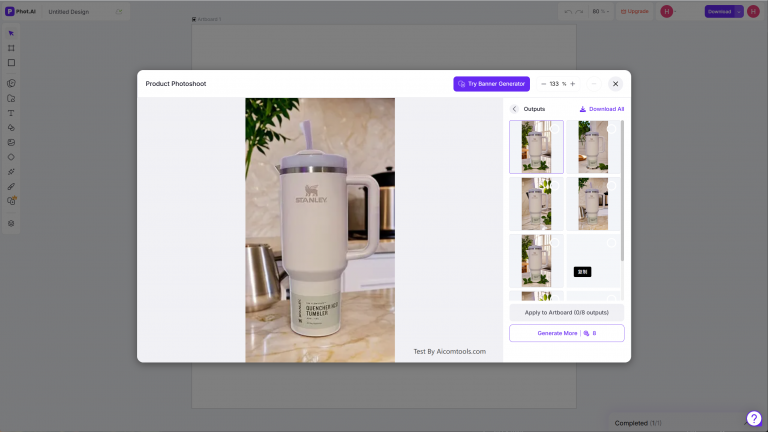
Among all the alternatives on this list, Phot.ai stands out because it’s not just a background remover — it’s a full product photography suite with retouching, shadow creation, and batch processing rolled into one.
Before jumping straight to alternatives, make sure Remove.bg itself isn’t actually what you need — my full Remove.bg review breaks down exactly when it’s worth the cost and when it isn’t.
Among all the alternatives on this list, Phot.ai stands out because it’s not just a background remover — it’s a full product photography suite with retouching, shadow creation, and batch processing rolled into one.
Before jumping straight to alternatives, make sure Remove.bg itself isn’t actually what you need — my full Remove.bg review breaks down exactly when it’s worth the cost and when it isn’t.
Switch to Phot.ai from $49/mo →
Remove.bg is the most popular background removal tool on the internet. Type “remove background from image” into Google, and it’s the first result. The AI works fast, the edge detection is solid, and for a casual user doing one-off edits, it’s perfectly fine.
But if you’re an ecommerce seller — Amazon FBA, Shopify, WooCommerce — Remove.bg’s pricing model is working against you. Hard.
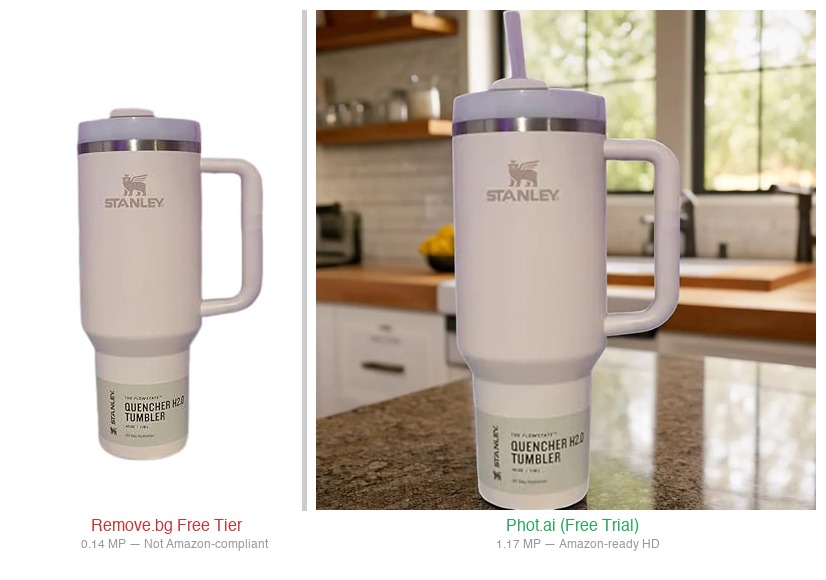
Here’s the problem in one sentence: Remove.bg’s free tier outputs images at 0.25 megapixels (roughly 500×500). That’s too small for Amazon’s 1000×1000 minimum. To get a usable HD image, you need credits — and those cost $0.18 to $0.90 per image depending on your plan. At 200 images per month, you’re paying $35 to $180 just for background removal, with no batch controls, no highlight editing, and no scene generation.
I tested 6 alternatives to find which ones actually deliver HD product photos without the per-image pricing trap. Three of them have affiliate programs (I tested those hardest); the other three are solid tools worth knowing about even without an affiliate link.
Why Look Beyond Remove.bg? The $0.90 Trap (Recap)
Before we dive into alternatives, let’s be crystal clear about what you’re escaping:
- Free tier: Preview only at 0.25 MP (≈500×500). Useless for Amazon, Shopify, or any commercial use. You literally cannot upload these images to a product listing.
- Pay-as-you-go: $9 for 10 credits = $0.90 per image. The most expensive option and the one most new users accidentally choose.
- Best subscription: $35.10/mo for 200 credits = $0.18 per image. Better, but still just for background removal — no batch editing, no highlight control, no scene staging.
- The hidden cost: At 200 images/month, Remove.bg costs you $35.10–$180/mo. For background removal only.
Every tool below removes backgrounds. The question is: what else do you get for your money, and how much does it actually cost?
The 6 Best Remove.bg Alternatives Tested
1. Phot.ai — Best Overall Alternative (High Volume + Precision Control)
check out my hands-on evaluation of Phot.ai’s advanced batch workflow and highlight recovery — Phot.ai is the closest competitor to Remove.bg and, in my testing, it outperforms it for ecommerce use cases across the board.
Pricing: From $49/mo (Starter) with a free trial (sign up for free credits — enough to process 25 HD product images at zero cost).
How it compares to Remove.bg:
- Phot.ai Starter: $49/mo vs Remove.bg $35.10/mo — more features including batch editing and marketplace publishing
- Free tier: 25 HD credits vs 0.25MP preview only
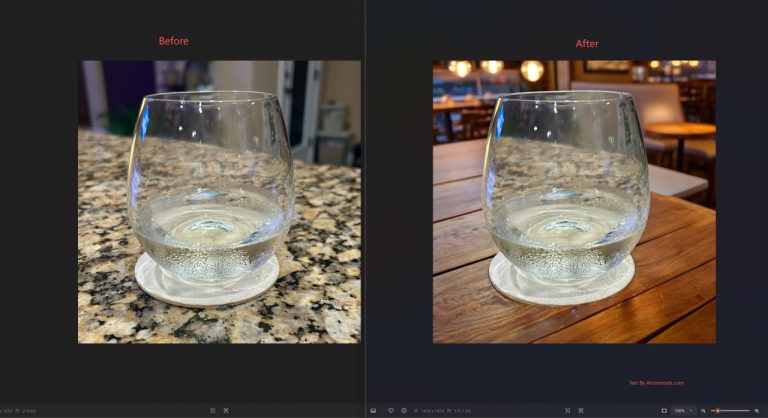
- Batch editing with highlight preservation — critical for jewelry and glass products
- AI background staging for contextual product scenes
- Manual control over edge detection and shadow placement
Best for: Amazon sellers processing 50–500+ images per month who need fine-grained control over how their products look. The highlight preservation alone justifies the switch if you sell reflective items.
Try Phot.ai Free — 25 Free Credits →
2. PhotoRoom — Best for Mobile-First Sellers + Template Workflows
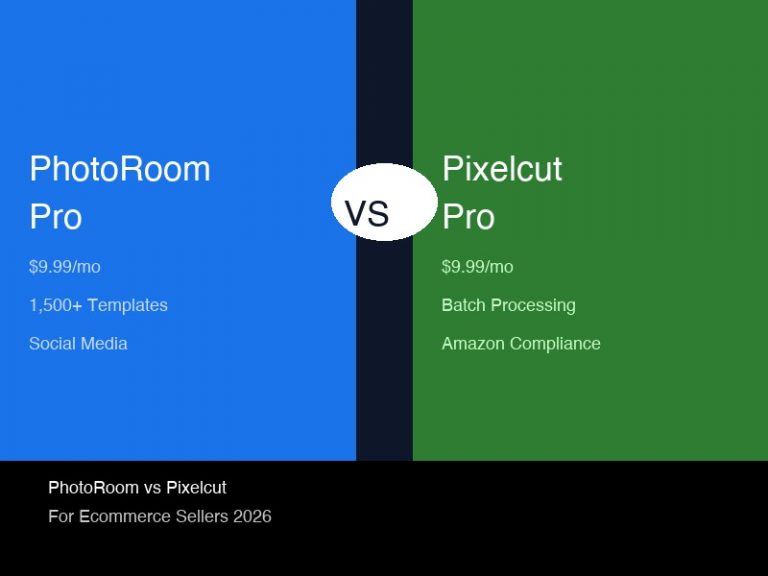
see the detailed workflow test I ran on PhotoRoom’s mobile app templates — PhotoRoom has become a favorite among sellers who shoot and list from their phones.
Pricing: Free tier available. Pro at $12.99/mo.
How it compares to Remove.bg:
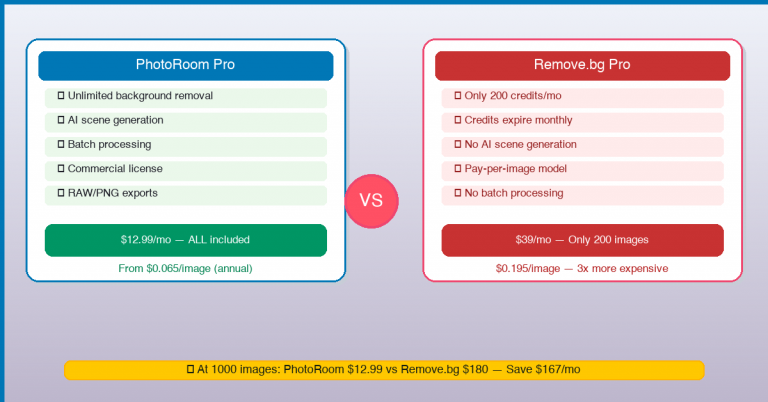
- 200 images/month = $12.99 vs $35.10 (3.5x cheaper)
- The iOS/Android app is genuinely excellent — white-background listing image in under 30 seconds
- Hundreds of built-in professional templates for product photography
- Batch processing with consistent output across your catalog
- Free tier actually produces usable HD output (unlike Remove.bg)
Best for: Sellers who shoot product photos on their phone and need ready-made templates for fast listing. If your workflow is mobile-first, PhotoRoom beats Remove.bg hands down.
Want to see exactly how much Remove.bg is costing you vs. PhotoRoom’s unlimited plan? Read our full PhotoRoom vs Remove.bg cost breakdown →
3. Pixelcut — Best Budget Option (Free HD Output)
read my deep-dive review covering Pixelcut’s free HD capabilities and batch processing — Pixelcut is the dark horse. Less known than Remove.bg but its free tier actually delivers usable HD images.
Pricing: Free tier with HD output. Pro at $19.99/mo.
How it compares to Remove.bg:
- 200 images/month = $0–$19.99 vs $35.10 (free tier works for basics)
- Free tier produces HD images — no 0.25MP cap
- Product staging with AI-generated backgrounds
- Simpler interface, faster learning curve
- Good for sellers who just need clean background removal without complex controls
Best for: Budget-conscious sellers or those just starting out. If your volume is under 100 images/month, the free tier may be all you need.
4. Claid.ai — Best for High-Volume API Users
Claid.ai focuses on API-based background removal with a pay-per-image model. It’s designed for developers and high-volume ecommerce platforms that need to process thousands of images programmatically. The image quality is solid, and the API documentation is excellent. However, for most individual sellers processing 200–500 images per month, the subscription-based tools above offer better value.
Pricing: Pay-per-image. Visit claid.ai for current rates.
5. Adobe Express — Best for Existing Adobe Users
If you’re already paying for Creative Cloud, Adobe Express includes background removal. It’s convenient and the integration with Photoshop and Lightroom is seamless. The free tier covers basic removal, but HD exports and batch processing require a premium subscription. Not a dedicated background removal tool, but a capable fallback if you’re already in the Adobe ecosystem.
Pricing: Free / Premium. Visit adobe.com/express for details.
6. Pebblely — Best for AI-Generated Product Scenes
Pebblely takes a different approach — instead of just removing backgrounds, it generates entire product scenes. Upload a photo of your product, and Pebblely places it in a realistic setting (kitchen counter, marble table, outdoor patio, etc.). The background removal quality is good, but the real value is in the scene generation for lifestyle shots.
Pricing: From $12/mo. Visit pebblely.com for plans.
Which Remove.bg Alternative Should You Pick?
| Your Scenario | Best Pick | Why |
|---|---|---|
| 200+ images/mo, need fine control | Phot.ai $49 | 439% cheaper, highlight control, batch editing |
| Mobile-first, template-heavy | PhotoRoom $12.99 | Best mobile app, ready templates, fast output |
| Tight budget, basic needs | Pixelcut $0-19.99 | Free HD output, no credit trap |
| Enterprise API, thousands of images | Claid.ai | Developer-friendly API, scalable |
| Already on Adobe Creative Cloud | Adobe Express | Convenient integration, no new tool to learn |
| Need AI lifestyle scenes, not just removal | Pebblely | Best AI-generated product backgrounds |
Still unsure? I tested Phot.ai vs PhotoRoom head-to-head on 10 different product types — the results might surprise you.
Final Verdict
Remove.bg is a fine tool for casual use. But for ecommerce sellers who process product photos in volume, the numbers don’t lie:
- Remove.bg: $35.10/mo for 200 images, background removal only, free tier produces unusably small previews.
- Phot.ai: $49/mo (Starter) for 500 credits, batch editing, highlight preservation, AI staging, and manual controls.
- PhotoRoom: $12.99/mo with mobile app, templates, and batch processing — great for on-the-go sellers.
- Pixelcut: Free HD output for basic removal — perfect for sellers on a shoestring budget.
The best Remove.bg alternative depends on your workflow. But if you’re processing 50+ product images per month and want the best combination of price, quality, and features, Phot.ai is the clear winner.
Once you’ve got your product images cleaned up, the next step is writing descriptions that convert — AI writing tools like Writesonic can generate optimized product copy from your images to complete the listing workflow.
The Math Is Simple
Remove.bg: $35.10/mo for 200 images.
Phot.ai: $49/mo (Starter) for 500 credits + batch editing + highlight control + marketplace publishing.
Phot.ai costs more per month but includes marketplace publishing tools, batch editing, and highlight control — zero risk.
Try Phot.ai Free — Start Saving Today →
Free credits on sign-up. No credit card required. Cancel anytime.
Disclosure: If you purchase through the links above, I may earn a commission. All pricing data independently verified from official pages, June 2026.
🚀 Ready to upgrade your product photography?
Try Phot.ai — the tool that aced our tests. Get 50 free credits to start.
Try Phot.ai Free →Affiliate Disclosure: Some links on this page are affiliate links. If you click and make a purchase, we may earn a commission — at no extra cost to you. See our full Affiliate Disclosure for details.

Former prop desk trader. I evaluate AI tools the way I used to evaluate trading systems — by running real tests and measuring actual ROI before recommending anything.