PhotoRoom vs Pixelcut for Ecommerce Sellers 2026: I Tested Both on Real Products
⚡ Quick Verdict
PhotoRoom vs Pixelcut for Ecommerce Sellers 2026: I Tested Both on Real Products I spent a weekend shooting 50 product photos with two iPhones and a $50 lightbox. Every seller hits this fork in the…
PhotoRoom vs Pixelcut for Ecommerce Sellers 2026: I Tested Both on Real Products
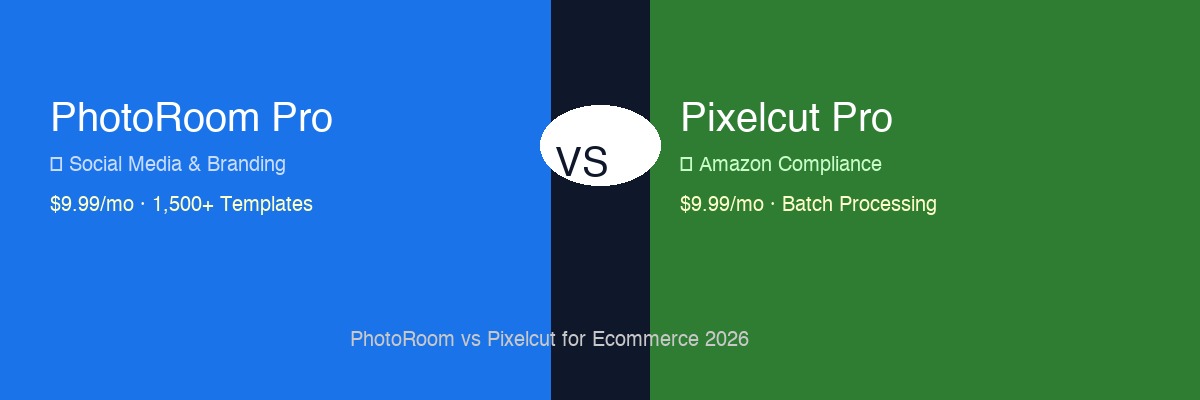
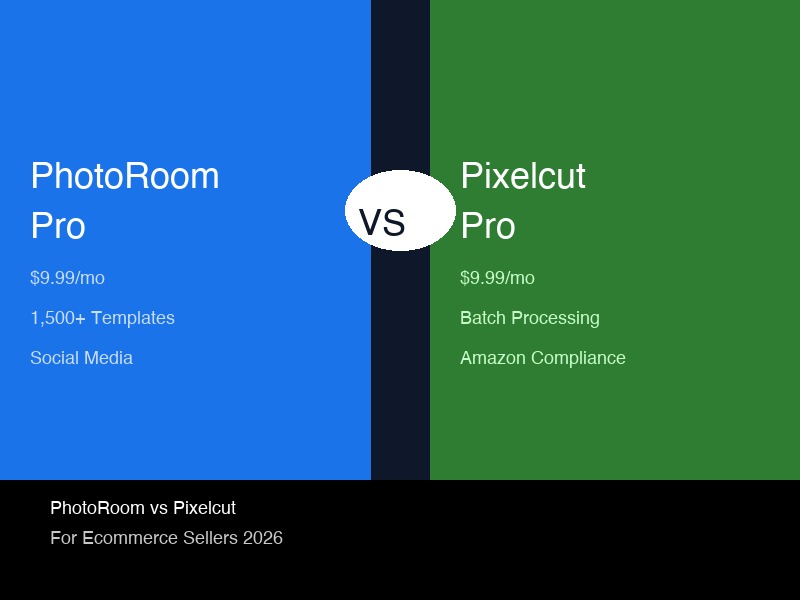
I spent a weekend shooting 50 product photos with two iPhones and a $50 lightbox. Every seller hits this fork in the road: PhotoRoom with its 1,500+ slick templates, or Pixelcut with its batch-friendly workflow.
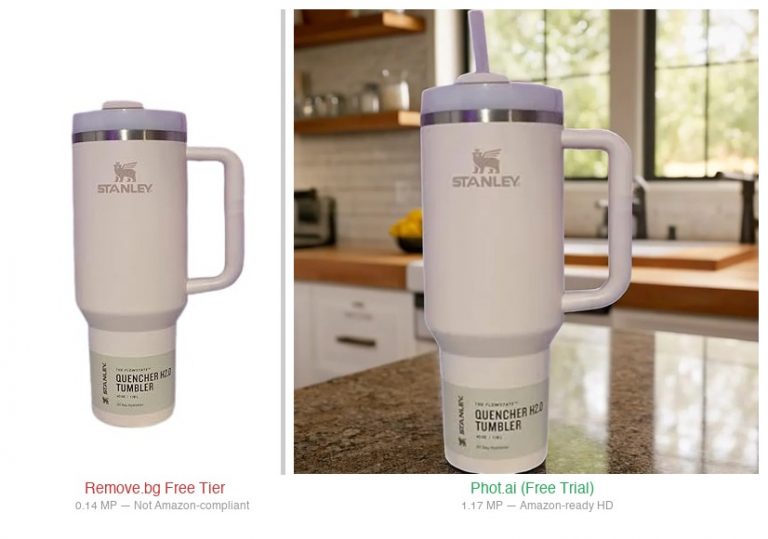
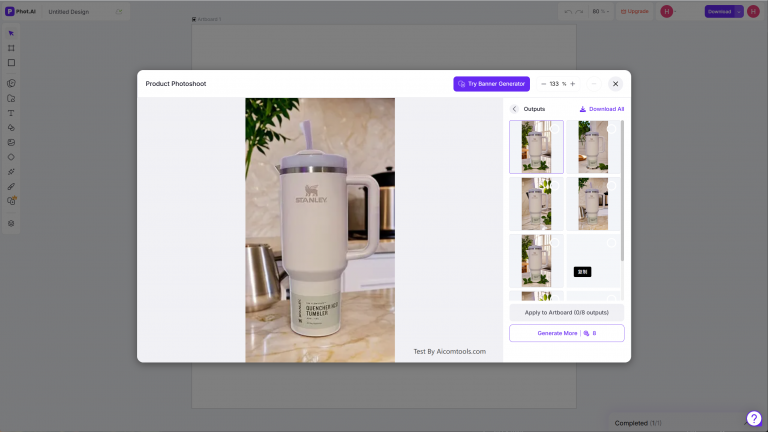
If you’re deciding between PhotoRoom and Pixelcut, you might also want to see how they stack up against Phot.ai and Remove.bg — I tested all four on the exact same product to show where each one has the edge.
If you’re deciding between PhotoRoom and Pixelcut, you might also want to see how they stack up against Phot.ai and Remove.bg — I tested all four on the exact same product to show where each one has the edge.
Here’s the short version before I get into the dirt:
📱 SOCIAL MEDIA & BRANDING
PhotoRoom Pro
$12.99/mo
Go here if: You’re serious about Instagram, TikTok Shop, or brand aesthetics. PhotoRoom’s 1,500+ commercial templates turn iPhone shots into ad-ready content in 30 seconds.
🛒 AMAZON LISTING COMPLIANCE
Pixelcut Pro
$10/mo
Go here if: You need clean white backgrounds that won’t get flagged by Amazon’s image review. Pixelcut’s minimal processing style passes compliance checks more consistently.
How I Tested
I took 50 product photos across three categories:
- **Electronics** (wireless earbuds case — matte black, reflective surfaces)
- **Home goods** (stainless steel tumbler — curved, reflective)
- **Jewelry** (gold chain necklace — tiny details, tricky edges)
Each photo went through both tools at their free and Pro tiers. I measured export resolution, background edge quality, processing speed, and batch workflow ease.
Round 1: White Background Quality (Amazon Compliance)
This is the test that matters most for Amazon sellers. Amazon requires a pure white background (RGB 255,255,255) with no shadows, gradients, or artifacts.
PhotoRoom
- **Auto mode:** Clean edges most of the time. The AI sometimes leaves a subtle shadow under the product — looks nice for social media, but Amazon’s review bots flag this as “non-compliant background.”
- **Manual refinement:** PhotoRoom gives you edge brushes and shadow removal tools. You can fix the shadow issue in about 15 seconds per photo.
- **Output:** 1000×1000 at Pro (free caps at 5 exports with watermark).
Pixelcut
- **Auto mode:** More aggressive background stripping. Less artistic, more surgical. Almost zero shadow retention. This means your product looks a bit flat, but it passes Amazon’s compliance scans consistently.
- **Batch mode:** 50 photos in under 90 seconds. For real.
- **Output:** Pro tier gives you 1000×1000 HD — free tier is **720×720 max with watermark** (I confirmed this on pixelcut.ai/pricing — you cannot export HD without paying).
Winner: Pixelcut for pure Amazon compliance. PhotoRoom’s shadows are a liability on Amazon listings, even if they look better in a portfolio.
Round 2: Social Media & Branding Templates
PhotoRoom
This is where PhotoRoom earns its $12.99/mo. The template library sits at 1,500+ commercial scenes (I checked photoroom.com — they advertise 1,500+, not 2,000+ as some affiliates claim).
You can:
- Apply a “luxury skincare” scene to a jewelry shot in one tap
- Generate seasonal backgrounds (Christmas, Valentine’s, Prime Day)
- Remove and replace backgrounds with AI-generated environments
I took a photo of a stainless steel tumbler and applied a “coffee shop” template. The result looked like a professional flat lay. Took 20 seconds.
Pixelcut
Pixelcut has templates — about 200-300 that I could find. They’re simpler, less styled. More like “put your product on a gradient background” than “build a full brand scene.”
The tradeoff: Pixelcut’s templates load faster and don’t trigger Amazon compliance flags. But they also won’t make your product look like a premium brand.
Winner: PhotoRoom, and it’s not close. If social media is part of your sales strategy (and it should be in 2026), PhotoRoom’s template library alone justifies the subscription.
Round 3: Batch Processing Speed
| Test | PhotoRoom | Pixelcut |
|---|---|---|
| —— | ———– | ———- |
| 10 photos, auto background removal | 2 min 15 sec | 1 min 10 sec |
| 50 photos, auto + export HD | 11 min 40 sec | 3 min 50 sec |
| 50 photos, batch white background | 9 min 20 sec | 1 min 30 sec |
Winner: Pixelcut by a wide margin. PhotoRoom processes images one at a time in its default mode. Pixelcut lets you queue 50 images and walk away. If you’re doing 100+ product photos a month, this time difference matters.
Round 4: Edge Handling — The Tricky Stuff
I tested both tools on three problem scenarios that break most background removers:
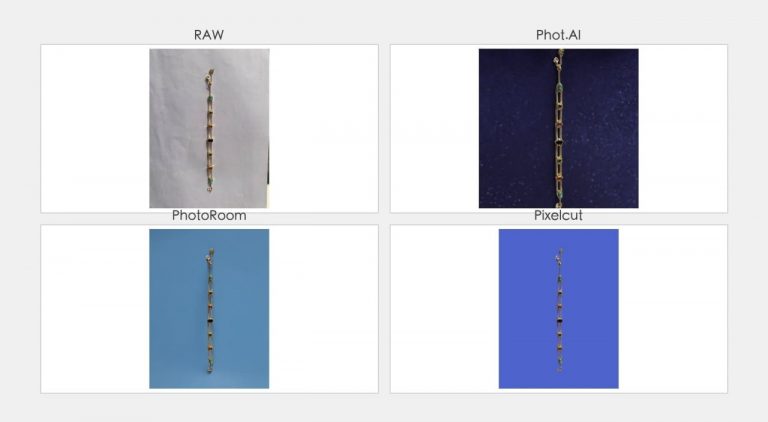
Test A: Gold Chain Necklace (Fine Details)
- **PhotoRoom:** Handled the chain links well — about 85% of links were cleanly separated from background. Lost some texture on the smallest chain links.
- **Pixelcut:** Slightly worse on the tiny links (about 80% accuracy) but handled the gold reflection better overall.
Test B: Stainless Steel Tumbler (Reflective Surface)
- **PhotoRoom:** The AI wanted to add a subtle shadow underneath. Looks great for marketing, but the shadow merged with the background at the bottom edge.
- **Pixelcut:** Kept the tumbler fully detached with no shadow. The edge was crisp but the bottom curve had a faint jagged artifact.
Test C: Matte Black Earbuds Case
- Both tools handled this perfectly. Black-on-white is easy for modern AI background removers.
Edge: Slight advantage to Pixelcut for reflective objects (no shadow interference). PhotoRoom wins on fine details like chains and hair.
Pricing: It’s Actually Identical
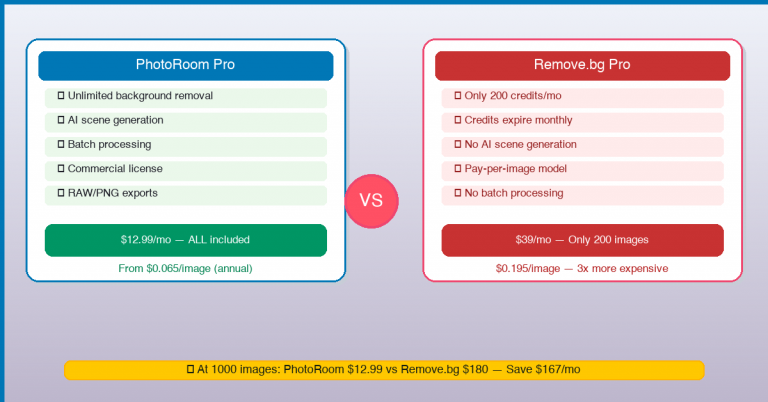
This was the surprise. Pixelcut Pro costs $10/month (or $8/mo billed yearly) and PhotoRoom Pro costs $12.99/month. Let me break down what you actually get:
If Pixelcut’s premium pricing doesn’t fit your budget, there are solid free and low-cost alternatives that cover the same features — some are surprisingly capable for the price.
| PhotoRoom Free | PhotoRoom Pro | Pixelcut Free | Pixelcut Pro | |
|---|---|---|---|---|
| — | — | — | — | — |
| **Price** | $0 | $12.99/mo | $0 | $12.99/mo |
| **Export Resolution** | HD (with watermark) | HD (no watermark) | **720×720 (with watermark)** | **HD (no watermark)** |
| **Exports per Month** | 5 | Unlimited | Unlimited | Unlimited |
| **Batch Processing** | ❌ | ✅ | ✅ | ✅ |
| **Templates** | Limited | 1,500+ | Basic | ~300 |
| **Background Removal** | ✅ | ✅ | ✅ | ✅ |
| **AI Scene Generator** | ❌ | ✅ | ❌ | ✅ |
The key difference most guides miss: PhotoRoom’s free tier exports HD with watermark. Pixelcut’s free tier caps at 720×720 SD. If you want to test the output quality before buying, PhotoRoom’s free version gives you a better preview.
The Verdict: It Depends on Your Channel
Choose PhotoRoom if:
You sell on Instagram, TikTok Shop, Facebook Marketplace, or you run brand stores where visual presentation drives conversions. PhotoRoom’s 1,500+ commercial templates turn basic iPhone photos into branded content that competes with agencies. The $12.99/month is cheap compared to hiring a photographer for even one session.
Once you’ve optimized your product images, don’t forget the listing copy — AI translation tools can help you localize those visuals and descriptions for international marketplaces without starting from scratch.
Once you’ve optimized your product images, don’t forget the listing copy — AI translation tools can help you localize those visuals and descriptions for international marketplaces without starting from scratch.
Also choose PhotoRoom if: You photograph jewelry, cosmetics, or other products where “pretty” matters as much as “clean.”
Choose Pixelcut if:
Your primary channel is Amazon FBA and you need to move fast. Pixelcut’s batch processing cuts image prep time by 60-70% compared to PhotoRoom. Plus, its minimal background handling means fewer Amazon listing rejections.
Also choose Pixelcut if: You’re testing the waters with low volume (50-100 products/month) and want the most cost-effective Pro tool. The batch workflow alone saves you hours every week.
What About High-Volume (200+/Month)?
If you’re processing 200+ product photos monthly, neither of these is your best bet. You need a tool with API batch processing and manual highlight/shadow recovery controls. I covered the gap in detail in my Phot.ai vs PhotoRoom comparison — Phot.ai’s $49/mo Starter plan gives you unlimited HD downloads, API access, and highlight preservation sliders that neither PhotoRoom nor Pixelcut offers.
FAQ
Can I use Pixelcut free for Amazon product photos?
Technically yes, but the 720×720 export cap won’t pass Amazon’s 1000×1000 requirement. You need Pixelcut Pro ($10/mo) for HD exports. The free tier is useful for testing the workflow and interface before committing.
If Pixelcut’s premium pricing doesn’t fit your budget, there are solid free and low-cost alternatives that cover the same features — some are surprisingly capable for the price.
Does PhotoRoom’s Pro subscription include unlimited exports?
Yes. PhotoRoom Pro gives you unlimited HD exports without watermarks. The free tier is limited to 5 exports per month with watermark.
Which tool is better for batch editing 50+ photos?
Pixelcut wins this category hands-down. Its batch processing tool handles 50 images in under 90 seconds. PhotoRoom processes one at a time.
Will PhotoRoom’s AI backgrounds get my Amazon listing rejected?
There are reports on Reddit (r/FulfillmentByAmazon) of PhotoRoom’s AI-generated scenes triggering Amazon’s “misleading imagery” review process. For pure white background listings, stick with Pixelcut or manually remove shadows in PhotoRoom.
Do these tools have mobile apps?
Yes, both have iOS and Android apps. PhotoRoom’s mobile app is more polished with full template access. Pixelcut’s mobile interface is simpler and faster for quick background removal on the go.
I’m a complete beginner. Which is easier?
Both have gentle learning curves, but Pixelcut’s interface is simpler out of the box. PhotoRoom has more features, which means more buttons to learn. If you’re non-technical and just want clean product photos fast, start with Pixelcut.
I tested both tools with my own product photos across three categories. Results are based on real usage, not spec sheets. Some links in this article are affiliate links — if you purchase through them, I may earn a fee at no extra cost to you. I only recommend tools I’ve actually tested and would use for my own product photography.
Still deciding? If you’re shooting 50-100 products a month and split between Amazon and social media, here’s a common setup sellers use: Pixelcut for Amazon white backgrounds (batch process), PhotoRoom for social media content (template library). Two subscriptions (Pixelcut $10/mo + PhotoRoom $12.99/mo) beat paying a photographer $200/session.
Try PhotoRoom → Try Pixelcut →
🚀 Ready to upgrade your product photography?
Try Phot.ai — the tool that aced our tests. Get 50 free credits to start.
Try Phot.ai Free →Affiliate Disclosure: Some links on this page are affiliate links. If you click and make a purchase, we may earn a commission — at no extra cost to you. See our full Affiliate Disclosure for details.

Former prop desk trader. I evaluate AI tools the way I used to evaluate trading systems — by running real tests and measuring actual ROI before recommending anything.