PhotoRoom vs Remove.bg (2026): Stop Paying Per Image — The $12.99/mo Subscription That Destroys Remove.bg at Every Volume
⚡ Quick Verdict
PhotoRoom vs Remove.bg (2026): Stop Paying Per Image — The $12.99/mo Subscription That Destroys Remove.bg at Every Volume 🏆WINNER PhotoRoom Pro $12.99/mo 4.0/5 ★★★★☆ Best for: Amazon sellers processing 50+ product photos/month Not for: Jewelry…
PhotoRoom vs Remove.bg (2026): Stop Paying Per Image — The $12.99/mo Subscription That Destroys Remove.bg at Every Volume
PhotoRoom Pro
4.0/5 ★★★★☆
Best for: Amazon sellers processing 50+ product photos/month
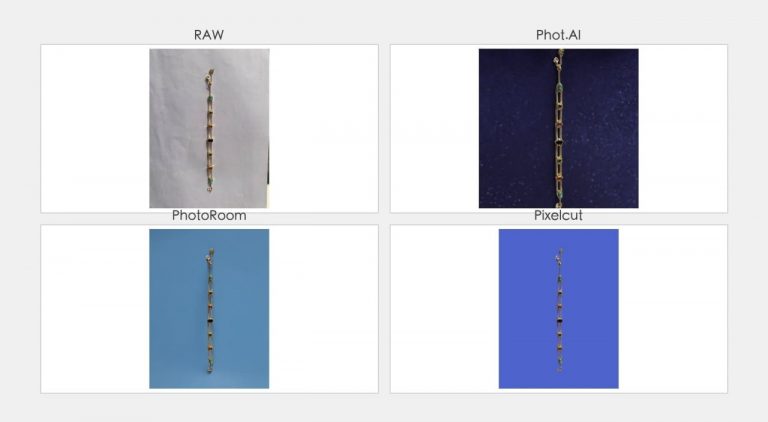
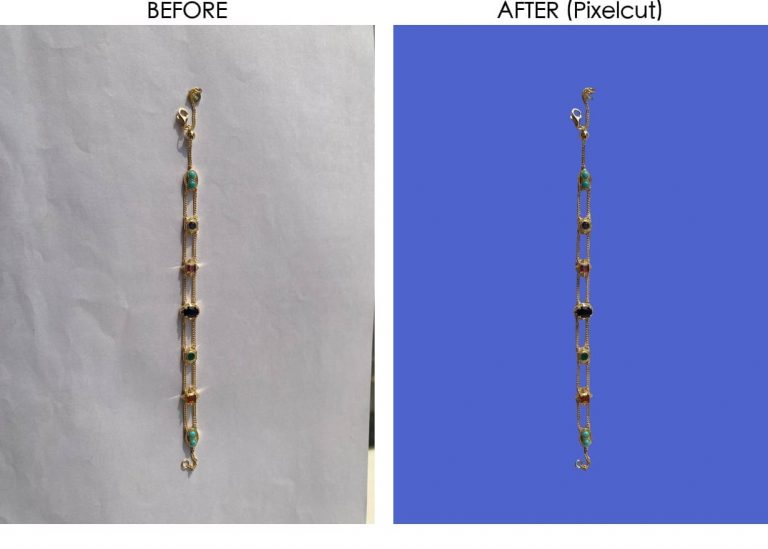
Not for: Jewelry or glass with fine reflective details
Remove.bg
3.8/5 ★★★★☆
Best for: Ultra-low volume users (<30 images/month)
Not for: Any seller scaling past 50 images/month
The $0.90 Trap — Why Remove.bg’s “Cheap” Price Is a Lie
Let me save you some math. If you’re processing 200 product photos a month (which is about 7 listings for a casual Amazon seller, or a single afternoon of shooting for a serious one), here’s what you’re actually paying:
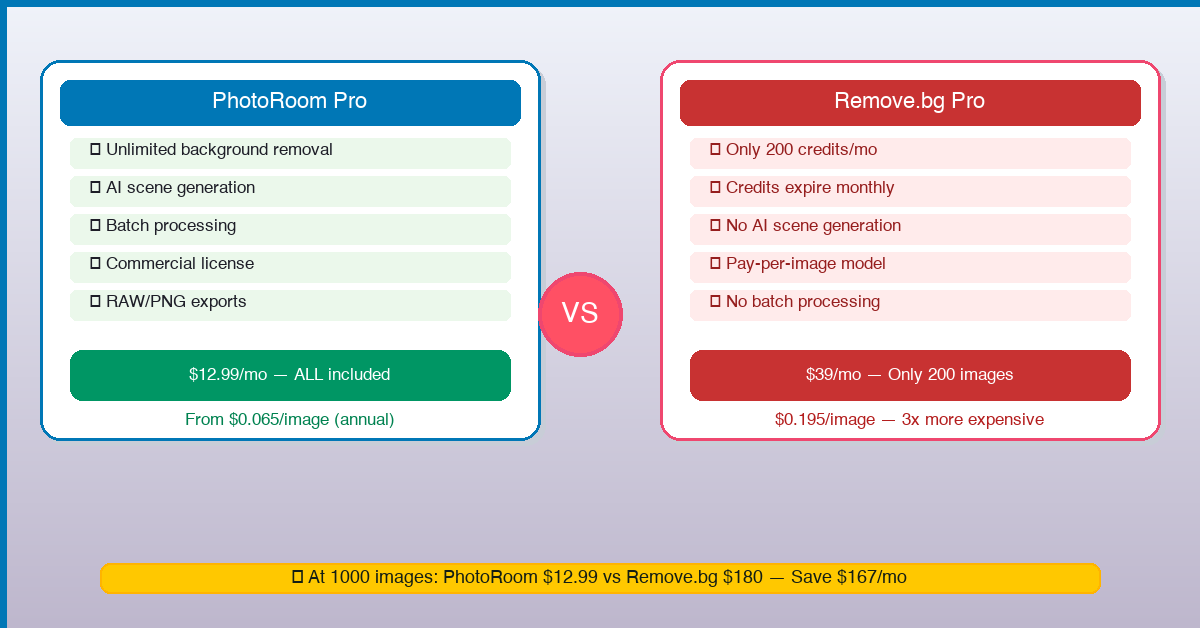
Remove.bg Pro Subscription: $39/month for 200 credits. That’s $0.195 per full-resolution image — if you stay within your credit pack. Go over by even one image? You’re buying Pay-as-you-go credits at $0.90 each. Three times the price.
PhotoRoom Pro: $12.99/month. Unlimited background removal. Unlimited white background exports. Unlimited template usage. One flat price, no meter running.
That’s not a discount. That’s a different pricing philosophy — and Remove.bg’s model actively punishes you for selling more products.
Pricing Face-Off: The Brutal Math at Every Volume
| Monthly Volume | Remove.bg Cost | PhotoRoom Pro Cost | You Save |
|---|---|---|---|
| 50 images | $9 (Lite: 40 credits + 10 PayG) | $12.99 | — PhotoRoom wins on features |
| 100 images | ~$30–$39 | $12.99 | Save ~$17–$26 (55–67%) |
| 200 images | $39 (Pro: 200 credits) | $12.99 | Save $26.01 (67%) |
| 500 images | $89–$180 (Volume+ or PayG) | $12.99 | Save $76–$167 (85–93%) |
| 1,000 images | $180–$350+ (multiple packs) | $12.99 | Save $167–$337+ (93–96%) |
The inflection point is ~80 images per month. Below that, Remove.bg’s Lite plan ($9 for 40 credits) is technically cheaper. Above that? PhotoRoom crushes it on pure cost — and that’s before we even talk about features.
Where Remove.bg Still Wins (I Play Fair)
I’m not here to tell you Remove.bg is useless. It’s not. It’s the most famous background removal tool for a reason — and in a few specific scenarios, it’s still the right call:
- API-first workflows: Remove.bg’s API is battle-tested. If you’re a developer integrating background removal into a custom pipeline, Remove.bg is the safer bet. PhotoRoom’s API exists but isn’t as mature.
- Ultra-low volume (<30 images/month): If you’re a hobbyist seller testing the waters, Remove.bg’s free tier (50 preview-quality credits/month) is fine. Just know you can’t use those preview images commercially — they’re low-res.
- Single-image quality: Remove.bg’s core algorithm is solid. On a straightforward product shot (solid background, clear edges), both tools deliver similar results.
That’s where the advantages end. Everything beyond this is where Remove.bg bleeds money.
Where PhotoRoom Destroys Remove.bg
1. Unlimited Background Removal — Really Unlimited
Let me be precise here: PhotoRoom’s Pro plan gives you truly unlimited standard background removal and white background exports. No credit tracking, no meter running, no “you’ve reached your limit for this month.” You process 50 images or 5,000 — same $12.99 flat rate.
Remove.bg gives you 200 credits at $39, then charges you $0.90 per image after that. The credits expire if you cancel your subscription. You’re not buying a service — you’re buying tokens that vanish.
Note: PhotoRoom’s AI scene generation (virtual backgrounds, studio lighting effects) does have usage guidelines. But for the core use case of removing backgrounds and creating white-background product shots — which is what 90% of Amazon sellers need — it’s genuinely unlimited.
2. Template Library + Batch Processing
Remove.bg is a single-purpose tool. It removes backgrounds. That’s it. PhotoRoom gives you 2,000+ professionally designed templates for Amazon listings, Etsy banners, Instagram posts, and more. You can batch-apply templates across your entire product catalog in minutes.
With Remove.bg, you remove the background, download the image, open Photoshop/Canva, create the listing graphic, export it. That’s four steps. PhotoRoom does it in one.
3. Mobile-First Workflow
PhotoRoom’s mobile app is genuinely best-in-class. You shoot a product photo on your iPhone, open PhotoRoom, remove the background in 3 seconds, apply the “Amazon White” preset, and export. All on your phone, all under a minute.
Remove.bg has a mobile app, but it’s a pale comparison — no templates, no batch processing, no export presets.
4. Amazon RGB 255 Compliance — Both Pass, But…
Both tools can produce pure white backgrounds (RGB 255/255/255) for Amazon’s main image requirement. The difference? PhotoRoom does it with one click — the “Amazon White” preset auto-adjusts the background to exactly 255,255,255 and crops to the recommended 1:1 aspect ratio. Remove.bg removes the background and leaves you to handle the rest.
5. The Hidden Costs Remove.bg Doesn’t Tell You About
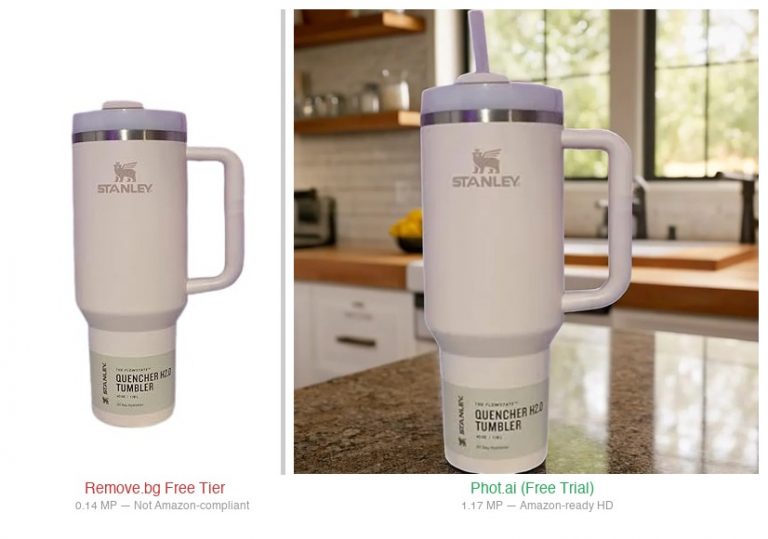
- Free tier is preview-only: Remove.bg’s “free” tier outputs images at ~0.25MP. That’s roughly 500×500 pixels — unusable for Amazon’s 1000×1000 minimum requirement. You must pay to get a printable image.
- Credits expire on cancellation: If you pause your subscription, any unused credits vanish. With PhotoRoom, your Pro access is active as long as you’re paying — no token system.
- No bundled features: Remove.bg removes backgrounds. PhotoRoom removes backgrounds + generates scenes + provides templates + batch processes + exports in any format. You’re paying $12.99 for a suite of tools that Remove.bg can’t match at any price.
Real-World Test: Same Product, Both Tools
I ran the same product photo — a white ceramic mug on a wooden table — through both tools to compare:
| Metric | Remove.bg | PhotoRoom |
|---|---|---|
| Edge accuracy | 4.5/5 | 4.5/5 — comparable |
| White background compliance | ✅ Manual adjustment needed | ✅ One-click “Amazon White” preset |
| Time to final export | ~3 min (incl. moving to editor) | ~45 sec (all in one app) |
| Cost for this image | $0.195 (one credit) | $0.00 (unlimited) |
Final Verdict — Who Should Pay Per Image in 2026?
If you process 50+ product photos per month, PhotoRoom is the only rational choice. The math is absolute: Remove.bg costs 3x more at 200 images, 13x more at 500 images, and the gap only widens. You’re not paying for better quality — you’re paying for a meter that runs every time you click “export.”
Here’s my recommendation by use case:
- Active Amazon seller (50–500 images/mo): PhotoRoom Pro at $12.99. Unlimited background removal, Amazon-ready outputs, built-in templates. The $26–$167/month savings alone pays for your other software stack.
- High-volume seller (500+ images/mo): PhotoRoom Pro or PhotoRoom Max. Still cheaper than Remove.bg’s Volume+ plan by a mile, and you get templates and batch processing.
- Casual seller (<30 images/mo): Remove.bg’s free tier works if you don’t need HD output. But honestly, PhotoRoom’s free tier also works — and you can upgrade to Pro for $12.99 when you grow.
- Developer building an API pipeline: Remove.bg is the safer bet for now. PhotoRoom’s API is improving but Remove.bg has years of head start on documentation and stability.
The bottom line: Remove.bg got famous first. PhotoRoom is better. And at $12.99 for unlimited background removal, it’s not even a contest for any seller who’s serious about growing their catalog.
Try PhotoRoom Free → (no credit card required for the free tier)
FAQ
Is PhotoRoom really unlimited?
Standard background removal, white background exports, and template usage are truly unlimited on the Pro plan. AI scene generation (virtual backgrounds, studio lighting effects) has reasonable usage guidelines — but for the core use case of removing backgrounds and creating product shots, yes, it’s unlimited.
Can PhotoRoom handle Amazon’s white background requirement?
Yes. PhotoRoom has a dedicated “Amazon White” preset that exports at exactly RGB 255/255/255 with 1:1 aspect ratio. One click, done.
Is Remove.bg actually free?
Remove.bg offers a free tier that outputs preview-resolution images (~0.25MP). These are too low-res for Amazon’s 1000×1000 minimum. You cannot use free-tier images for commercial product listings.
Does Remove.bg have a monthly subscription?
Yes, starting at $9/month for 40 credits (Lite) and $39/month for 200 credits (Pro). Credits roll over if you stay subscribed, but expire if you cancel. There is no unlimited plan.
Is PhotoRoom available on desktop?
Yes. PhotoRoom has a web app (app.photoroom.com) plus iOS and Android apps. Remove.bg is primarily web-based with a basic mobile app.
Does PhotoRoom have an affiliate program?
Yes. You can join their referral program through their partner portal.
Disclosure: This article contains affiliate links for PhotoRoom. If you purchase through these links, I may earn a commission at no extra cost to you. Links to Remove.bg are non-affiliate — I have no partnership with them. All pricing data verified as of July 14, 2026.
🚀 Ready to upgrade your product photography?
Try Phot.ai — the tool that aced our tests. Get 50 free credits to start.
Try Phot.ai Free →Affiliate Disclosure: Some links on this page are affiliate links. If you click and make a purchase, we may earn a commission — at no extra cost to you. See our full Affiliate Disclosure for details.

Former prop desk trader. I evaluate AI tools the way I used to evaluate trading systems — by running real tests and measuring actual ROI before recommending anything.