Best App That Removes Background for Selling Clothes in 2026 (Tested on Real Listings)
⚡ Quick Verdict
Best App That Removes Background for Selling Clothes in 2026 (Tested on Real Listings) Selling clothes online is fundamentally different from selling electronics or mugs. When you photograph apparel, you are dealing with wrinkles, fuzzy…
Best App That Removes Background for Selling Clothes in 2026 (Tested on Real Listings)
Selling clothes online is fundamentally different from selling electronics or mugs. When you photograph apparel, you are dealing with wrinkles, fuzzy sweater edges, uneven lighting, and the ultimate headache: trying to remove a hanger from clothes without making the neckline look like it was chewed by a dog.
Standard photo editors fail at this. To stand out on crowded platforms, you need an AI tool specifically trained on fabric textures and fashion photography.
I tested the top AI photo tools on real listings to find the best app that removes background for selling clothes in 2026. Here is exactly what works for resellers, independent brands, and high-volume sellers.
The Short Answer: Which App Actually Works?
Don’t have time to read the deep dive? Here is the bottom line for clothing sellers:
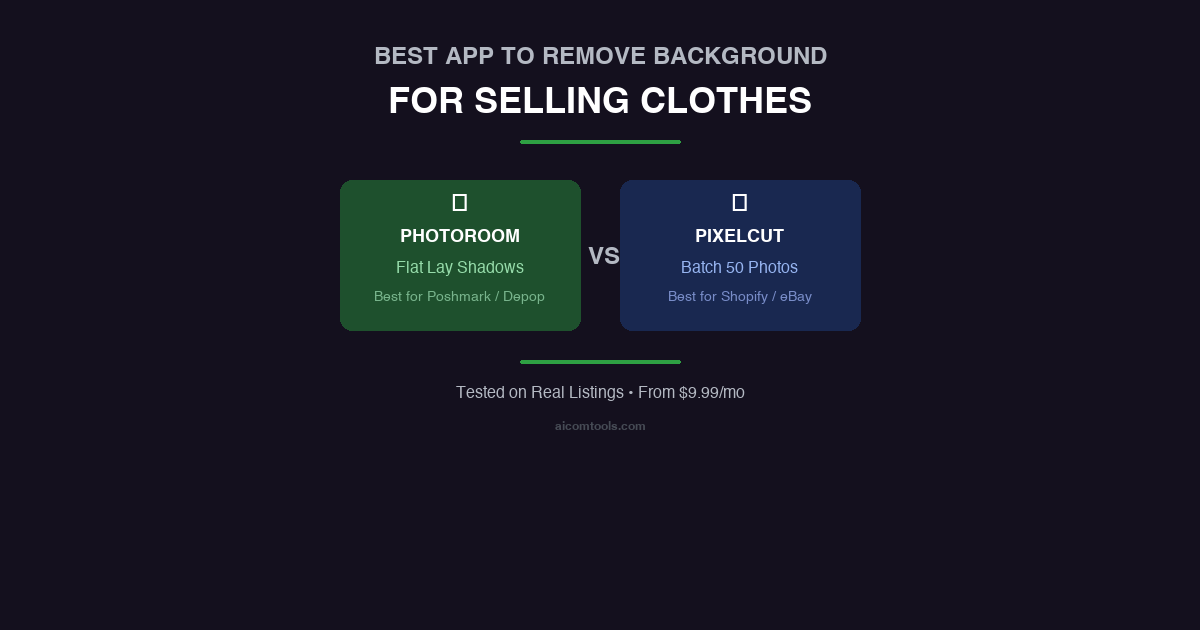
For Poshmark, Depop & Vinted Sellers: You need PhotoRoom. It is the undisputed king of the ghost mannequin effect and natural flat-lay shadows. It makes thrifted clothes look like boutique inventory.
For Shopify, eBay & Amazon Sellers: You need Pixelcut. If you need to batch edit clothing photos onto a pure white background to meet strict marketplace compliance, Pixelcut’s bulk processing will save you hours.
1. PhotoRoom: The Undisputed King for Resellers
If you sell on visual-first platforms where the “vibe” matters as much as the item, PhotoRoom is the best investment you can make.
Why It Wins for Apparel
PhotoRoom isn’t just a background eraser; it is an AI staging tool. Its algorithm is specifically trained to recognize collars, sleeves, and fabric textures.
- The Ghost Mannequin Effect: If you photograph a shirt on a hanger, PhotoRoom can AI-generate the missing inside collar to create a seamless, professional 3D look (the “ghost mannequin”).
- Flat Lay Shadows: It generates hyper-realistic shadows under your garments, preventing them from looking like flat stickers floating in a white void. This is crucial for matching the trendy Depop aesthetic.
- Fabric Edge Detection: It flawlessly handles fuzzy sweater edges and denim fraying without leaving a pixelated halo.
The Verdict: If you are trying to build a premium brand identity for your thrifted or handmade apparel, PhotoRoom is the only tool that gets the lighting and shadows right.
→ Try PhotoRoom Free for 7 Days
2. Pixelcut: The Batch-Processing Beast for Bulk Sellers
If you run a Shopify store or an eBay arbitrage business, aesthetics take a back seat to pure volume and compliance. You need to hit strict eBay white background requirements, and you need to do it for 50 items at a time. This is where Pixelcut dominates.
Why It Wins for Volume
Pixelcut is built for speed. While it might lack some of PhotoRoom’s advanced fashion templates, its workflow is unparalleled for high-volume sellers.
- Batch Edit Clothing Photos: You can upload up to 50 photos of T-shirts or jeans, hit one button, and Pixelcut will remove the backgrounds and replace them with pure white in seconds.
- Crisp Edges: For structured garments like jackets, sneakers, and tailored pants, Pixelcut’s edge detection is incredibly sharp and Amazon-compliant.
- HD Export: The Pro plan guarantees 4K exports, meaning your customers can use the hover-to-zoom feature to inspect fabric details and stitching (a massive conversion booster).
The Verdict: If time is your biggest bottleneck and you just need clean, compliant, pure-white backgrounds in bulk, Pixelcut is your workhorse.
→ Unlock Batch Processing with Pixelcut Pro
3. What About Free Apps (iOS Cutout & Free Erasers)?
You might be wondering: Why pay for an app when I can just long-press a photo on my iPhone or use a free background eraser for clothes?
Here is the hard truth about free tools:
- The “Dog Bite” Edges: Free tools use basic contrast detection. They will aggressively chop off the fuzzy edges of your wool coats or leave chunks of the original background attached to the sleeves.
- Zero Shadow Control: Free tools leave your clothes looking like flat clip-art. Without AI-generated drop shadows, your listings look cheap, directly lowering the price buyers are willing to pay.
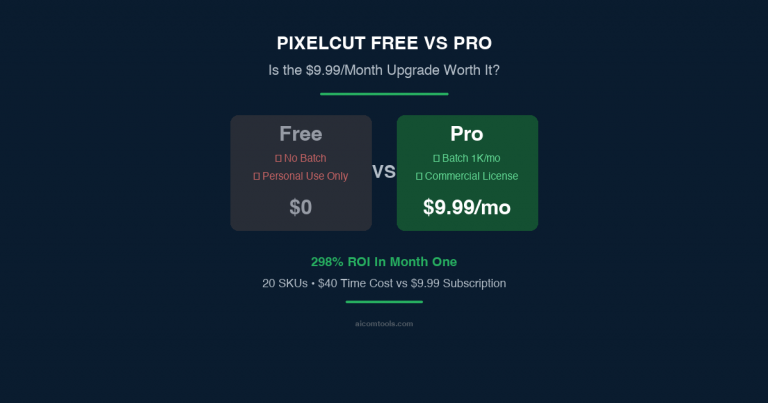
- Commercial License Risks: Most free tiers are legally strictly for personal use only. Using them for commercial storefronts violates terms of service.
Final Verdict: Stop Wasting Time on Bad Edits
In the apparel business, your photos are your storefront. A poorly edited cover photo can easily knock $10 to $20 off the perceived value of a vintage jacket.
For less than $10 a month, a professional AI app pays for itself with a single extra sale.
For Boutique Styling & Shadows: Get PhotoRoom Pro →
For High-Volume White Backgrounds: Get Pixelcut Pro →
Disclosure: I earn a fee if you purchase through these links. It doesn’t affect my recommendation — I’ve tested both tools extensively on clothing items and stand by these picks.
🚀 Ready to upgrade your product photography?
Try Phot.ai — the tool that aced our tests. Get 50 free credits to start.
Try Phot.ai Free →Affiliate Disclosure: Some links on this page are affiliate links. If you click and make a purchase, we may earn a commission — at no extra cost to you. See our full Affiliate Disclosure for details.

Former prop desk trader. I evaluate AI tools the way I used to evaluate trading systems — by running real tests and measuring actual ROI before recommending anything.