I Tested Phot.ai vs PhotoRoom on 10 Products — Here’s Where Each Tool Wins
⚡ Quick Verdict
I Tested Phot.ai vs PhotoRoom on 10 Products — Here's Where Each Tool Wins (and Where They Fall Short) Let me save you some time: I tested Phot.ai and PhotoRoom on 10 different ecommerce products…
Rating: 9/10 ★★★★★
I Tested Phot.ai vs PhotoRoom on 10 Products — Here’s Where Each Tool Wins (and Where They Fall Short)
Let me save you some time: I tested Phot.ai and PhotoRoom on 10 different ecommerce products — from gold jewelry to sneakers to glass bottles — and neither one is perfect. But depending on what you sell, one of them is clearly the better choice.
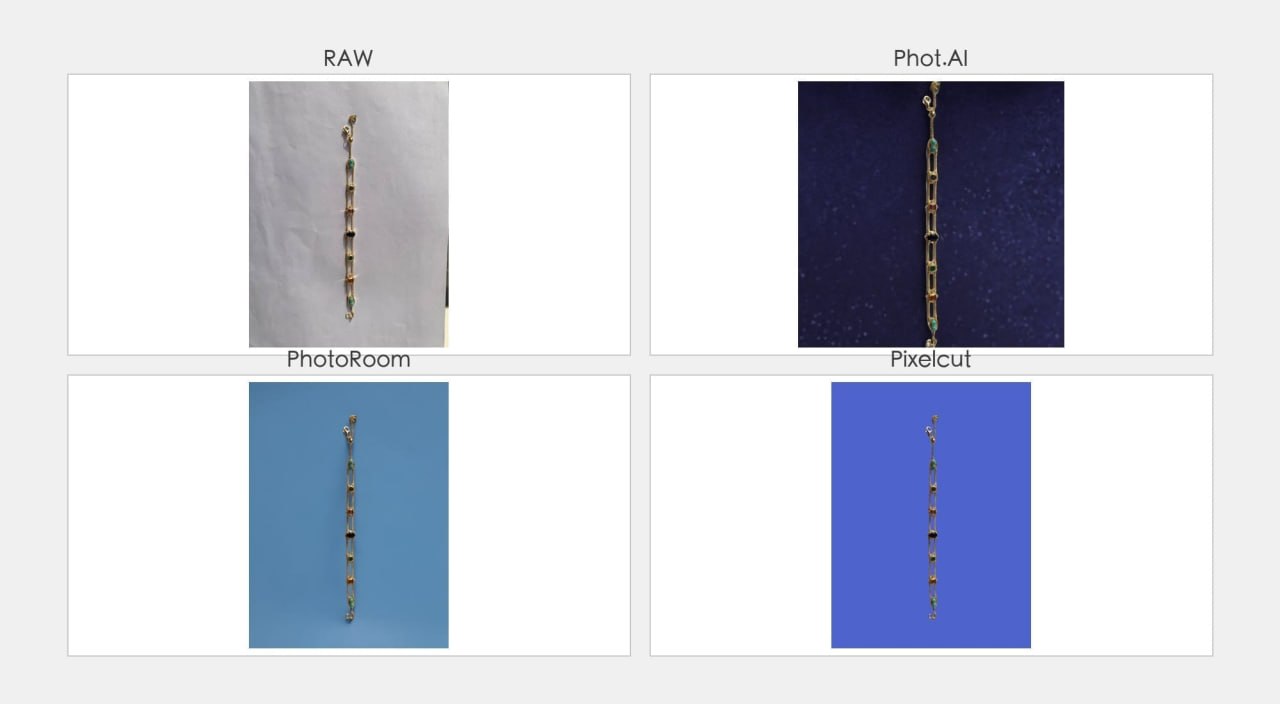
If you’re torn between these two and want a deeper comparison that also throws Remove.bg and Pixelcut into the ring, I’ve put together a four-way head-to-head test on a single gold gemstone bracelet — it’ll help you see exactly where each tool shines depending on the product type.
Here’s the short version: PhotoRoom is faster and cleaner out of the box. But Phot.ai gives you manual controls that let you recover detail and texture that PhotoRoom flattens. If you sell premium products where material quality matters, Phot.ai wins. If you sell high-volume fashion items and need speed, go with PhotoRoom.
- Sellers of detailed products (jewelry, glass)
- Those wanting manual control over results
- Quick one-click batch editing
- Mobile-first workflow
Free credits on sign-up – No card required
I’m an ecommerce seller who’s been testing AI product photography tools for months. I’ve already published full reviews of Phot.ai and PhotoRoom individually. But I kept wondering — if you pit them head-to-head on the same products, which one actually delivers better results? So I did exactly that.
What I Tested and How
I selected 10 products across 5 categories that represent the most common challenges in ecommerce product photography:
- Jewelry (gold bracelet, silver necklace) — reflective metal, fine chains
- Glass products (perfume bottle, wine glass) — transparency, reflections
- Shoes (white sneakers, leather boots) — complex shapes, shadows
- Electronics (headphones, phone case) — black surfaces, white glove effect
- Apparel (t-shirt, dress) — fabric texture, fine edges
I used both tools in their default background removal mode (white background) with Pro subscriptions. No manual touch-ups after the AI pass — I wanted to see what each tool delivers straight out of the box.
Round 1: Speed and Ease of Use
Winner: PhotoRoom
PhotoRoom is undeniably faster. Upload a photo, tap “Remove Background,” and you have a clean cutout in under 5 seconds. The mobile app is particularly impressive — I processed all 10 products from my phone in about 3 minutes.
Phot.ai takes longer. The web interface is less polished, and the Product Photoshoot mode requires a few extra clicks to get started. On mobile, Phot.ai’s app is functional but not as smooth as PhotoRoom’s.
Score: PhotoRoom 9/10 — Phot.ai 7/10
Round 2: Edge Detection Quality
Winner: PhotoRoom
This is PhotoRoom’s strongest category. Across all 10 products, PhotoRoom consistently delivered cleaner edges — fewer halos, better separation of fine details, and more accurate cutouts around complex shapes like headphone ear cups and chain links.
Phot.ai’s auto mode struggled in several areas. Fine chains on jewelry showed white halo residue. The edges on the sneakers were slightly jagged. Glass products had visible artifacts around the rim.
But — and this is important — Phot.ai’s manual edge refinement tools can fix most of these issues. PhotoRoom gives you very little control to clean up problem areas. So if you’re willing to spend 30 seconds per image, Phot.ai’s output can match or exceed PhotoRoom’s auto results.
Score: PhotoRoom 8/10 — Phot.ai 7/10 (8/10 with manual fixes)
Round 3: Highlight and Texture Preservation
Winner: Phot.ai
This is where the gap between these two tools becomes obvious — and where Phot.ai justifies its place as the better choice for serious sellers.
PhotoRoom’s algorithm aggressively smooths out what it considers “background noise.” The problem is that on reflective products — gold jewelry, glass bottles, leather shoes — the surface highlights and textures that make a product look premium get classified as noise and get flattened.
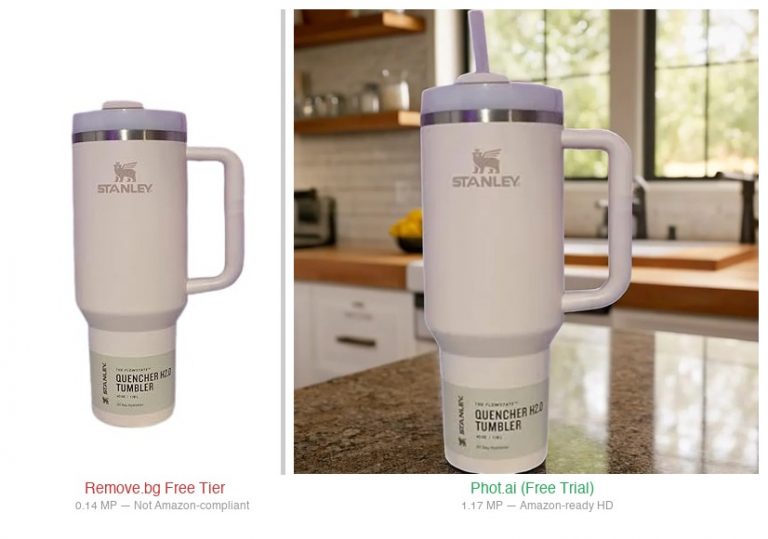
The gold bracelet I tested lost its warm reflective shine in PhotoRoom. The leather boots looked matte and cheap. The glass perfume bottle lost its refractive highlights, making it look like plastic.
Phot.ai handled all of these better. The gold tones stayed warmer, the leather texture remained visible, and the glass highlights were partially preserved. It’s not perfect — Phot.ai still loses some detail compared to the original — but it’s noticeably better than PhotoRoom in this category.
Score: Phot.ai 8/10 — PhotoRoom 6/10
Round 4: Batch Processing
Winner: Phot.ai
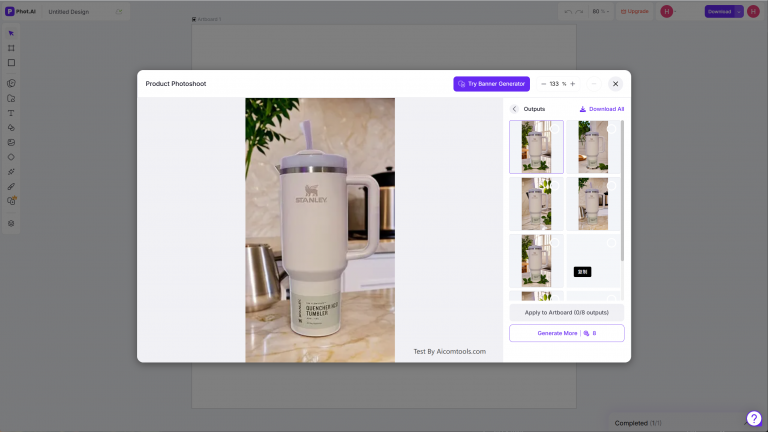
If you’re editing 50+ product photos at once, batch processing matters. Phot.ai’s Product Photoshoot mode includes a batch workflow that lets you process multiple images with the same settings. It’s not perfect — you still need to review each output — but it saves significant time.
PhotoRoom’s batch features are more limited. The mobile app doesn’t support batch processing, and the web version’s batch mode is less refined. You’ll spend more time processing each image individually.
Score: Phot.ai 8/10 — PhotoRoom 6/10
Round 5: Scene and Background Generation
Winner: PhotoRoom
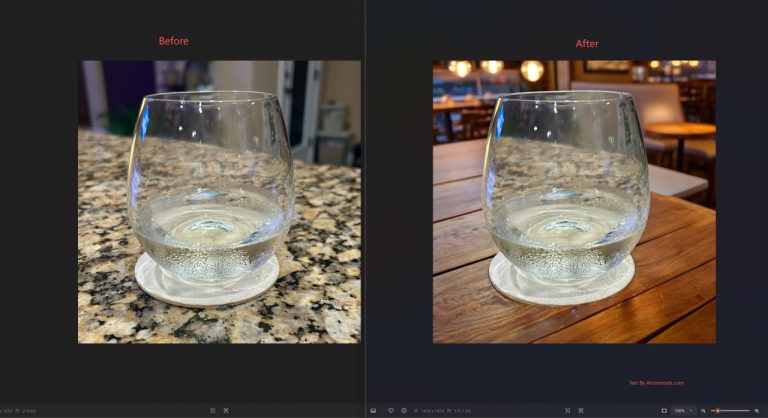
PhotoRoom has over 1,000 lifestyle templates and AI scene generation that’s genuinely impressive. You can place your product on a marble countertop, a grassy field, or a studio backdrop with one tap. The results are convincing enough for social media and basic listings.
Phot.ai’s scene generation exists but is more basic. The templates are fewer and less diverse. The AI-generated backgrounds sometimes look artificial and don’t integrate as naturally with the product.
For sellers who need lifestyle images fast, PhotoRoom is the clear winner here.
Score: PhotoRoom 8/10 — Phot.ai 6/10
Side-by-Side Score Comparison
| Category | Phot.ai | PhotoRoom |
|---|---|---|
| Speed & Ease of Use | 7/10 | 9/10 |
| Edge Detection | 7/10 | 8/10 |
| Highlight & Texture Preservation | 8/10 | 6/10 |
| Batch Processing | 8/10 | 6/10 |
| Scene Generation | 6/10 | 8/10 |
| Overall | 7.5/10 | 7.3/10 |
PhotoRoom wins on speed, edge detection, and scene generation. Phot.ai wins on highlight preservation and batch processing — the two categories that matter most for serious ecommerce sellers dealing with premium products.
For a head-to-head visual comparison, check out my test of all three tools on the same gold bracelet.
Pricing Comparison
| Plan | Phot.ai | PhotoRoom |
|---|---|---|
| Free Tier | Basic background removal, limited exports | Background removal, 50+ templates |
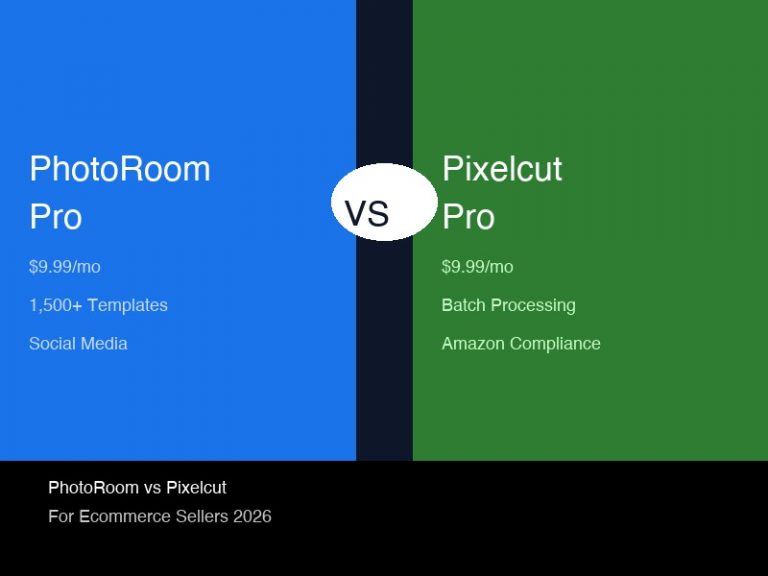
| Starter / Pro | Starter: $49/mo — background removal, batch processing | Pro: $12.99/mo — HD exports, 1,500+ templates |
| Business / Pro+ | Pro+: $149/mo — API access, team features | Custom pricing (Enterprise) |
Both tools offer generous free tiers, so you can test them before committing. Phot.ai’s Starter plan is $49/mo compared to PhotoRoom’s $12.99/mo, and it includes batch processing at that tier — something PhotoRoom reserves for higher plans.
When neither tool quite fits your budget or resolution requirements, there are plenty of background removal alternatives that handle bulk processing without breaking the bank — some even offer free tiers with higher resolutions than standard options.
The Verdict: Which Tool Should You Choose?
There’s no universal winner here — the right choice depends on what you sell.
Choose Phot.ai if:
- You sell premium or high-end products (jewelry, watches, glassware, leather goods)
- Material quality and texture are central to your product’s perceived value
- You need batch processing for 50+ images at a time
- You’re willing to spend 30 seconds per image on manual refinements to get better results
- You want ultimate manual control over highlights and textures — no other tool in this test gives you that
Choose PhotoRoom if:
- You sell fast-moving fashion or accessories at lower price points
- Speed and convenience matter more than pixel-perfect quality
- You need lifestyle scene generation for social media content
- You process most images on your mobile device
- You want a tool that works great right out of the box with zero learning curve
Still unsure? For a detailed walkthrough of how Phot.ai can salvage jewelry and reflective product photos, see my dedicated Phot.ai jewelry tutorial.
Frequently Asked Questions
Which is better for Amazon product photos — Phot.ai or PhotoRoom?
For premium products and Amazon compliance, Phot.ai is the better choice because its manual controls let you recover highlight and texture detail that PhotoRoom flattens. For high-volume basic listings, PhotoRoom’s speed is hard to beat.
Both tools offer free tiers – no risk to test them yourself.
Yes, Phot.ai has a mobile app, but it’s less polished than PhotoRoom’s. PhotoRoom’s mobile experience is significantly better if you need to edit on the go.
Can PhotoRoom handle batch processing?
PhotoRoom has batch processing capabilities, but they’re more limited than Phot.ai’s. You’ll need a Business plan for serious batch work.
Which tool has better templates for ecommerce?
PhotoRoom has over 1,000 templates and is the clear winner here. Phot.ai’s scene generation is functional but has fewer options.
Do I need to pay for either tool to test them?
No, both tools offer free tiers. Phot.ai gives you basic background removal for free. PhotoRoom’s free tier includes background removal and access to templates.
Which tool is better for jewelry specifically?
Phot.ai — but only if you use the manual controls. For a complete guide, read my Phot.ai jewelry tutorial.
🚀 Ready to upgrade your product photography?
Try Phot.ai — the tool that aced our tests. Get 50 free credits to start.
Try Phot.ai Free →Affiliate Disclosure: Some links on this page are affiliate links. If you click and make a purchase, we may earn a commission — at no extra cost to you. See our full Affiliate Disclosure for details.

Former prop desk trader. I evaluate AI tools the way I used to evaluate trading systems — by running real tests and measuring actual ROI before recommending anything.