
PhotoRoom Free vs Pro (2026): Is the $12.99/Month Upgrade Actually Worth It for Amazon Sellers?
⚡ Quick Verdict
Bottom line: If you're processing more than 5 product photos a month for Amazon, Etsy, or Shopify, PhotoRoom Free is useless. The free tier caps you at 5 watermarked exports — enough to test, not…
Bottom line: If you’re processing more than 5 product photos a month for Amazon, Etsy, or Shopify, PhotoRoom Free is useless. The free tier caps you at 5 watermarked exports — enough to test, not enough to sell. At $12.99/mo, Pro gives you 1,000 exports, batch processing, AI backgrounds, and a commercial license. For anyone running a real ecommerce business, Pro pays for itself in the first hour of saved manual editing time — a ~391% ROI.
I’ve spent months testing PhotoRoom against Pixelcut, Phot.ai, and Remove.bg on real product photos. Here’s the honest breakdown of what you actually get at each tier — and whether the $12.99 upgrade is worth it for your specific situation.
PhotoRoom Free vs Pro vs Max: Full Feature Breakdown
Before we get into the ROI math, let’s lay out exactly what changes when you swipe your credit card. I pulled this data directly from PhotoRoom’s pricing page (August 2026) and cross-referenced it with my own Pro account:
| Feature | Free | Pro ($12.99/mo) | Max ($34.99/mo) |
|---|---|---|---|
| Background Removal | Basic (5 exports) | Unlimited | Unlimited |
| Batch Processing | ❌ None | ✅ 1,000 exports/mo | ✅ 3,000 exports/mo |
| Export Quality | Watermarked | HD, no watermark | HD, no watermark |
| AI Credits | Minimal | 8,000/month | 25,000/month |
| AI Backgrounds | ❌ Locked | ✅ Included | ✅ Included |
| AI Fashion Models | ❌ Locked | ✅ Included | ✅ Included |
| Commercial License | ❌ Personal use only | ✅ Full commercial rights | ✅ Full commercial rights |
| 1,500+ Templates | Preview only | ✅ Full access | ✅ Full access |
| Retouch | Limited | ✅ Full access | ✅ Full access |
| Team Seats | 1 | 1 | 3 |
The two deal-breaking gaps on Free: (1) the watermark makes your product images unusable for any marketplace listing, and (2) with only 5 exports, you can’t even process a single week’s worth of new inventory. Free is a demo — not a tool you can actually run a business on.
The ROI Math: Free vs Pro — What Manual Processing Actually Costs You
This is the section that matters. Let me walk you through a real scenario: processing 20 product photos — a typical batch for a small Amazon seller adding one new listing with multiple angles.
Free Plan Route: Manual, One-at-a-Time Editing
| Task | Time per Image | Total (20 Images) |
|---|---|---|
| Upload + auto remove background | 1.5 min | 30 min |
| Manual touch-up (edges, shadows) | 3 min | 60 min |
| Apply template / scene | 2 min | 40 min |
| Export (one at a time) | 1 min | 20 min |
| Total Labor | 7.5 min/image | 2 hours 30 minutes |
At a conservative $15/hour for your time (or a VA’s time): 2.5 hours × $15 = $37.50 in labor cost.
Pro Plan Route: Batch Mode + AI Scene Generation
| Task | Time | Total (20 Images) |
|---|---|---|
| Upload 20 images (drag & drop) | 30 seconds | — |
| Auto background removal (batch) | ~1.5 min | — |
| Apply template (bulk) | 30 seconds | — |
| Batch export HD | ~1 min | — |
| Total Labor | ~3.5 minutes | ~3.5 minutes |
At $15/hour: 3.5 minutes × $0.25/min = $0.88 in labor cost.
The Dollar Verdict
- Free plan labor cost: $37.50
- Pro plan labor cost: $0.88
- Pro subscription: $12.99/mo
- Net savings: $37.50 – $0.88 – $12.99 = $23.63
- ROI: 391% in your first month
And that’s before we even talk about quality — Pro exports don’t have watermarks, so you’re not just saving time, you’re getting images you can actually use on a marketplace listing.
The Hidden Risk: Commercial License Compliance
Here’s something most “Free vs Pro” articles gloss over: PhotoRoom’s Free tier is for personal use only.
When you use Free-tier exports on Amazon, Etsy, eBay, or Shopify product listings, you’re technically operating outside PhotoRoom’s license terms. The images you upload to your store were generated under a personal-use license — not a commercial one.
What’s the actual risk? In practice, PhotoRoom doesn’t watermark-hunt Amazon listings the way stock photo agencies do. But here’s what can happen:
- If PhotoRoom ever tightens enforcement (and SaaS companies do this routinely as they scale), listings using Free-tier images could face takedown requests
- Amazon’s Brand Registry and listing compliance systems are getting more aggressive about image quality and provenance
- A flagged listing means suppressed rankings — and for a top-performing ASIN, that’s thousands in lost revenue
Bottom line: Is risking a ranked Amazon listing worth saving $12.99/month? For any serious seller, the answer is obvious. Pro’s commercial license is cheap insurance.
When Free Actually Makes Sense
I’m not going to tell you Pro is the only option. Free works in exactly these situations:
- You’re testing PhotoRoom before committing. The free tier lets you run 5 exports — enough to see if the AI handles your product type well (hint: it’s excellent for most items, but struggles with transparent glass — see my full PhotoRoom review for details)
- You’re doing 1-2 social media posts a month for a hobby project — not a real business
- You have zero budget and unlimited free time. If your time is literally worth $0, the math changes
When to Skip Pro and Go Straight to Max ($34.99/mo)
For most solopreneurs and small Amazon sellers, Pro is the sweet spot. But if you check these boxes, Max is worth the jump:
- You’re processing 1,000+ images/month (Pro caps at 1,000 exports)
- You need 25,000 AI credits for heavy use of AI Backgrounds and AI Fashion Models
- You have a small team (Max gives you 3 seats vs Pro’s 1)
Realistically, 90% of Amazon sellers never hit Pro’s 1,000/month export ceiling. Start with Pro — you can upgrade later without penalty.
How PhotoRoom Pro Stacks Up Against the Competition
If you’re weighing PhotoRoom against other tools, here’s the short version based on my hands-on testing:
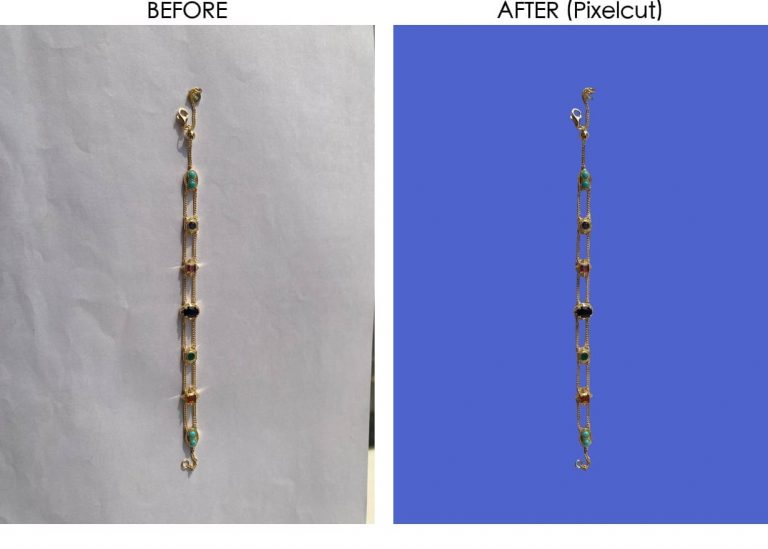
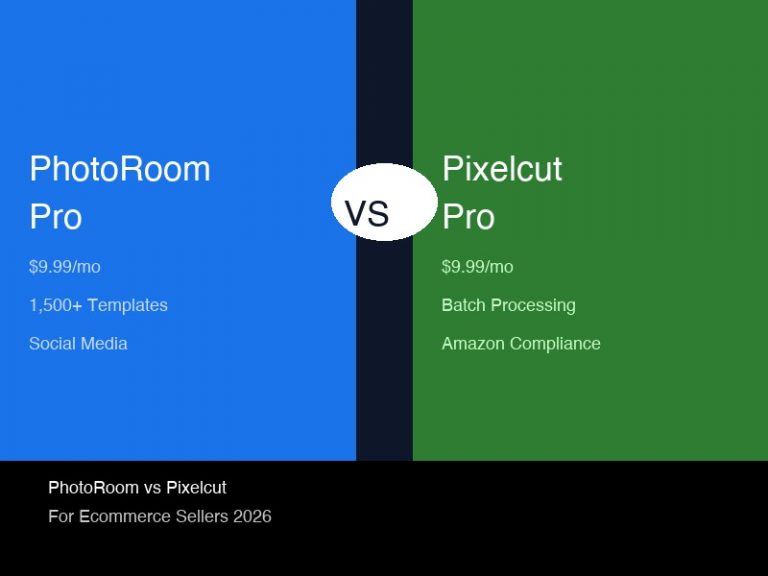
- PhotoRoom Pro ($12.99/mo) vs Pixelcut Pro ($9.99/mo): PhotoRoom wins on template variety (1,500+ vs 200+) and AI scene quality. Pixelcut wins on raw background removal precision for Amazon white-background requirements. See my full head-to-head comparison →
- PhotoRoom Pro ($12.99/mo) vs Remove.bg ($39/mo for 200 credits): PhotoRoom destroys Remove.bg on pricing at any volume above 5 images/month. Remove.bg’s per-image credit model is brutally expensive for ecommerce sellers. Full pricing face-off →
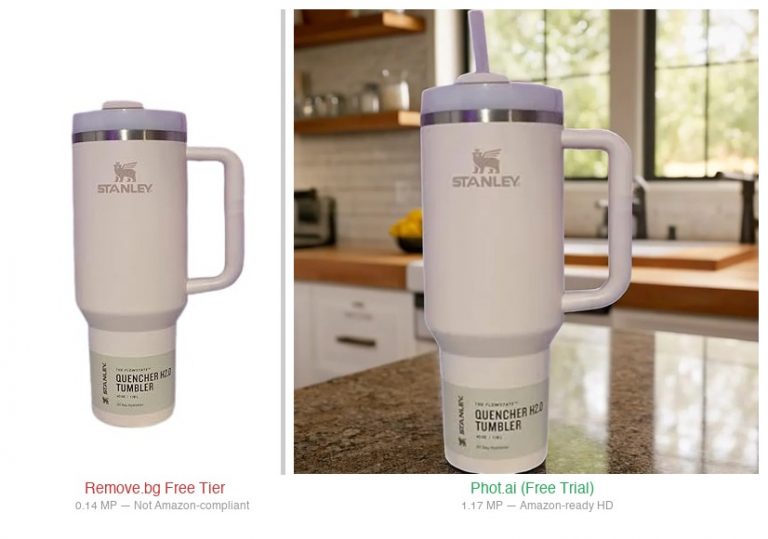
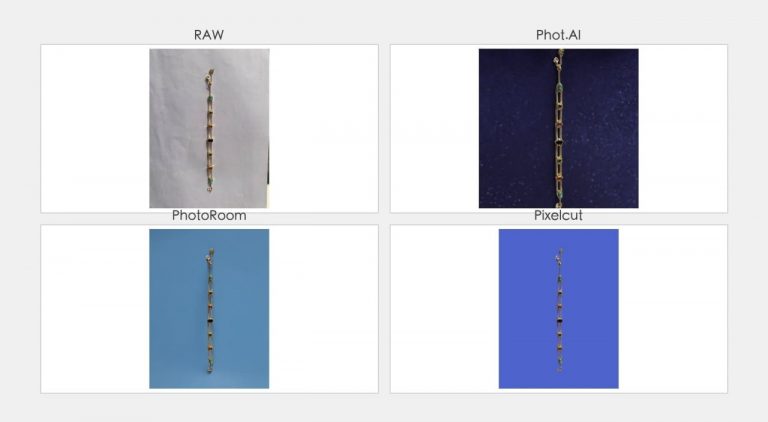
- PhotoRoom Pro ($12.99/mo) vs Phot.ai ($49/mo): Phot.ai gives you more manual refinement control for complex materials (jewelry, glass, reflective surfaces). PhotoRoom is faster and cleaner for straightforward products. My 10-product test breakdown →
Final Verdict: Who Should Upgrade?
Stay on Free if: you’re just testing the tool, or you sell 1-2 items as a side hobby and don’t care about watermarks.
Upgrade to Pro ($12.99/mo) if: you’re processing 10+ product photos a month, selling on any marketplace (Amazon, Etsy, eBay, Shopify), or value your time at more than $0/hour. The commercial license alone justifies the cost — the time savings are just a bonus.
Jump to Max ($34.99/mo) if: you’re a high-volume seller with a team, doing 1,000+ exports/month, or running heavy AI Fashion Model campaigns.
Need batch processing on a tighter budget? Pixelcut Pro at $9.99/mo offers similar batch capabilities with cleaner white-background results. Try Pixelcut Free →
FAQs
Can I use PhotoRoom Free for Amazon product photos?
Technically yes, but with two fatal caveats: (1) you only get 5 exports, and (2) Free-tier images include a watermark. Even if you could remove the watermark (you can’t without upgrading), Free is licensed for personal use only — using it for commercial Amazon listings violates PhotoRoom’s terms.
Does PhotoRoom Free have a watermark?
Yes. All Free-tier exports include a visible PhotoRoom watermark. There is no way to export watermark-free without a Pro or higher subscription.
How much does PhotoRoom Pro actually cost?
$12.99/month billed monthly, or approximately $7.50/month billed annually (save ~33%). There’s also a 7-day free trial on Pro — you can test all features before paying.
What happens when I hit the 1,000 export limit on Pro?
Exports reset monthly. If you consistently hit 1,000/month, upgrading to Max ($34.99/mo) bumps you to 3,000 exports and 25,000 AI credits. For most sellers, 1,000 exports is more than enough — that’s 33 product photos a day.
Is PhotoRoom better than Pixelcut for Amazon sellers?
It depends on your priority. PhotoRoom wins on template variety (1,500+ scenes), AI Fashion Models, and batch workflow polish. Pixelcut ($9.99/mo) produces slightly cleaner white-background cuts for strict Amazon main-image requirements. I broke down every difference in my side-by-side test →
Disclosure: I earn a commission if you purchase through these links. It doesn’t affect my recommendation — I’ve tested PhotoRoom extensively alongside its competitors and this is my honest assessment.
🚀 Ready to upgrade your product photography?
Try Phot.ai — the tool that aced our tests. Get 50 free credits to start.
Try Phot.ai Free →Affiliate Disclosure: Some links on this page are affiliate links. If you click and make a purchase, we may earn a commission — at no extra cost to you. See our full Affiliate Disclosure for details.

Former prop desk trader. I evaluate AI tools the way I used to evaluate trading systems — by running real tests and measuring actual ROI before recommending anything.