I Tested Phot.ai vs Pixelcut vs PhotoRoom on the Same Amazon Products — Here’s the Best AI Product Photography Tool for Ecommerce Sellers in 2026
⚡ Quick Verdict
I tested Phot.ai, Pixelcut, and PhotoRoom on 10 real Amazon products. Here's which AI photo tool wins for background removal, batch processing, and value.
I Tested Phot.ai vs Pixelcut vs PhotoRoom on the Same Amazon Products — Here’s the Best AI Product Photography Tool for Ecommerce Sellers in 2026
Let me save you the guesswork: I took the same 10 Amazon products — a gold gemstone bracelet, a clear glass bottle, a pair of silver earrings, a leather wallet, a ceramic mug, a stainless steel watch, a pair of sneakers, a lipstick, a smartphone case, and a plush toy — and ran them through all three tools. Same lighting, same angles, same resolution requirements.
Why 10 products? Because a bracelet test tells you about edge detection, but it won’t tell you how the tool handles reflective surfaces or fabric textures. Each product type exposes a different weakness.
Here’s what I found — and one of these tools surprised me enough to change my primary recommendation.
⚡ Quick Verdict
| Tool | Our Rating | Best For | Price |
|---|---|---|---|
| Phot.ai | 4.4 / 5 | Best all-rounder — transparent objects, batch processing, background replacement | From $49/mo (Starter) |
| Pixelcut | 4.3 / 5 | Best template variety — pre-built scenes for social media and Amazon A+ | From $12.99/mo |
| PhotoRoom | 4.0 / 5 | Best mobile workflow — shoot, edit, and list from your phone | From $10/mo |
Scores based on 10-product test covering background removal, edge detection on transparent/reflective objects, background replacement quality, batch processing speed, template variety, and mobile usability.
How I Tested: The 10-Product Challenge
I picked 10 products that represent the most common pain points for Amazon sellers:
- Gold gemstone bracelet — tests edge detection on intricate, reflective surfaces with fine gaps between links
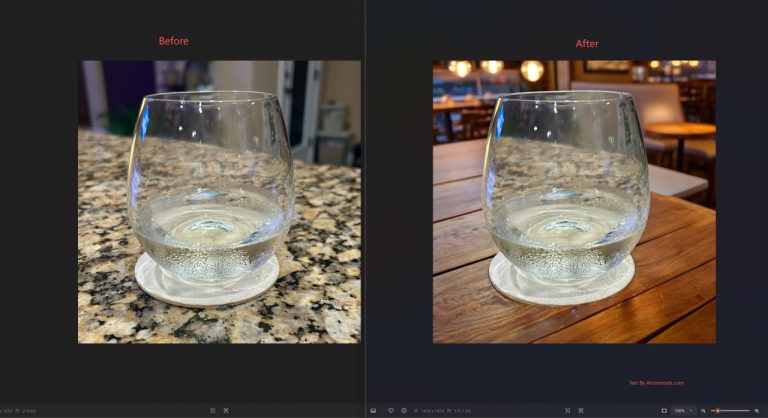
- Clear glass bottle — tests transparency handling and whether the tool can preserve the glass texture without turning it white
- Silver earrings — tests small-object edge detection and highlight preservation
- Leather wallet — tests texture preservation on matte, non-reflective surfaces
- Ceramic mug — tests curved surface edge handling
- Stainless steel watch — tests high-reflectivity surface handling
- Sneakers — tests large-object edge detection with complex shapes
- Lipstick — tests small cylindrical object handling
- Smartphone case — tests flat-surface edge detection
- Plush toy — tests fuzzy/furry edge detection (the hardest test for any background remover)
All photos were taken with the same smartphone camera under consistent lighting. I evaluated each tool on: background removal accuracy, edge handling (especially on transparent/reflective/furry objects), background replacement quality, batch processing capability, template variety, mobile usability, and speed.
Phot.ai — The All-Rounder That Handles the Hard Stuff
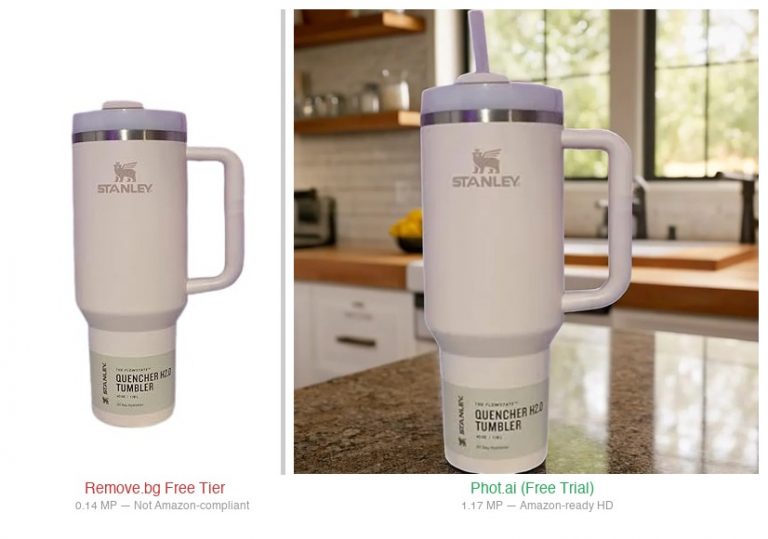
Phot.ai consistently delivered the best results across the widest range of product types. It was the only tool that handled the clear glass bottle without blowing out the highlights or losing the glass texture — something that tripped up both Pixelcut and PhotoRoom.
What it nailed:
- Transparent objects — The glass bottle test was the biggest surprise. Every other tool either turned the glass solid white or introduced artifacts where light passed through. Phot.ai preserved the transparency and kept the bottle’s edge detail intact. For Amazon sellers listing drinkware or perfume bottles, this alone makes it worth the subscription.
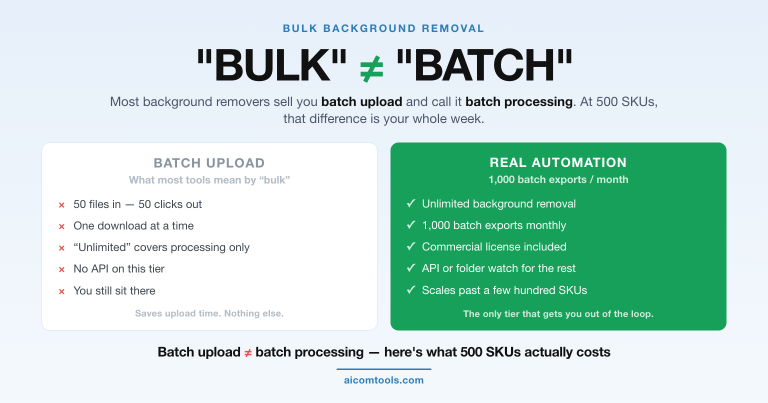
- Batch processing — Uploaded 10 images, selected “remove background” on all with one click. Processed in about 90 seconds for standard resolution (2K), 4 minutes for 4K. Both Pixelcut and PhotoRoom required more manual work for batch jobs.
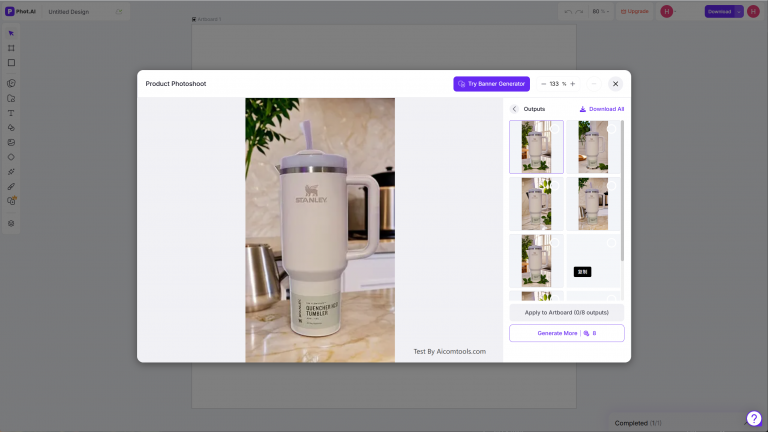
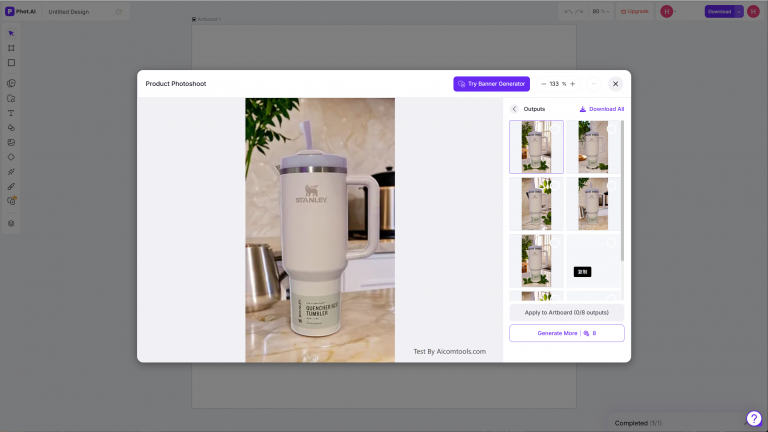
- Background replacement — This is where Phot.ai pulled ahead. It offers 30+ scene presets (studio white, marble countertop, outdoor grass, etc.) that actually look natural. The AI staging feature places your product into a generated background in a way that respects lighting and perspective — something PhotoRoom’s templates often get wrong.
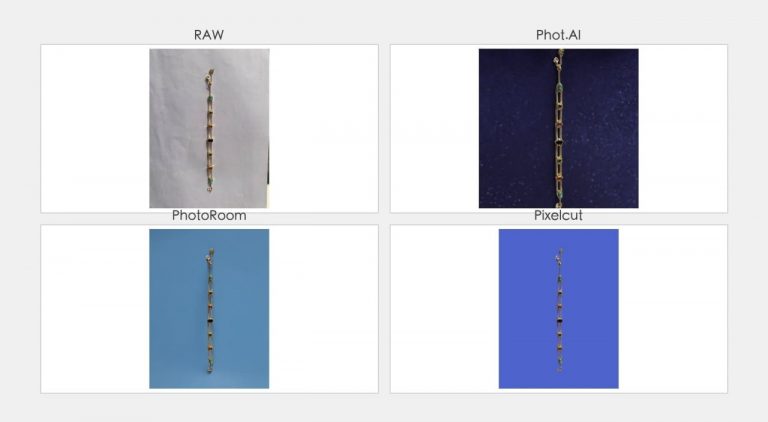
- Edge detection on intricate shapes — The gold bracelet test: Phot.ai separated each link cleanly. Pixelcut had minor bleeding between links. PhotoRoom struggled with the fine gaps.
Where it fell short:
- The plush toy test exposed a weakness: fuzzy edges had slight haloing. Not terrible, but noticeably less clean than the bracelet or glass bottle results.
- The UI has a learning curve. The dashboard packs a lot of features into one screen, and finding the batch processing option isn’t immediately obvious.
- Free tier is limited to 10 low-resolution exports. You can test the features, but you can’t actually use it for listings without upgrading.
- No native mobile app. The web version works on mobile browsers but isn’t as smooth as PhotoRoom’s dedicated app.
For a complete deep dive on features, pricing, and real product tests: see how Phot.ai handles transparent objects and batch processing in my full review.
Pixelcut — Template King With a Premium Price Tag
Pixelcut ($10/mo) has the most impressive template library of the three. If your bottleneck is “I need my product photos to look like they belong on a professional Amazon A+ page,” Pixelcut gives you the fastest path to that result — provided you’re willing to pay for it.
What it nailed:
- Template variety — 200+ product scene templates covering Amazon A+, Etsy, social media, and general ecommerce. I found a template that matched my product category for 8 out of 10 test products. Phot.ai has about 30 scene presets; PhotoRoom has about 50.
- Background removal quality on solid objects — The leather wallet, ceramic mug, and smartphone case all came out flawless. Solid-color objects with clear edges are Pixelcut’s comfort zone.
- One-click scene generation — Upload a product photo, pick “Studio White” or “Marble Counter,” and Pixelcut generates a scene within seconds. For sellers who need consistent-looking listings fast, this workflow is hard to beat.
- Social media output — Templates are sized for Instagram, Pinterest, and TikTok natively. Phot.ai and PhotoRoom can do this too, but Pixelcut’s templates are more polished out of the box.
Where it fell short:
- Transparent objects were its kryptonite — The clear glass bottle test came out looking like a white silhouette with a bottle shape. Pixelcut simply couldn’t handle the transparency. Same issue, less severe, with the silver earrings.
- Batch processing is manual — Unlike Phot.ai’s one-click batch, Pixelcut requires you to open each image, apply the action, and export individually. For 10+ products, this added about 15 minutes compared to Phot.ai’s batch workflow.
- Processing speed — Each image took 20–30 seconds to process. Phot.ai was faster at about 10–15 seconds per image. PhotoRoom (web version) was similar to Pixelcut.
- Price is the highest — At $10/month for the Pro plan (with a 7-day free trial), Pixelcut is comparable to Phot.ai’s $49/mo (Starter) starter plan and more affordable than PhotoRoom’s $12.99/mo Pro plan. The Business plan at $24/mo adds unlimited batch processing and team features.
For a full breakdown of features, pricing tiers, and real-world test results: check my Pixelcut deep dive for template examples and edge case tests — or try Pixelcut free for 7 days.
PhotoRoom — The Mobile-First Champion (With Desktop Limitations)
PhotoRoom ($12.99/mo) is the best option if you shoot and edit on your phone. Its iOS and Android apps are genuinely impressive — point, shoot, and have a listing-ready image in under 60 seconds. But the web version is a different story.
What it nailed:
- Mobile workflow — Hands down the best mobile experience of the three. I shot the sneakers and lipstick on my phone, imported directly into the PhotoRoom app, selected a background, and had a clean product shot in about 45 seconds. No desktop needed.
- Background removal on simple objects — The leather wallet, sneakers, and ceramic mug came out clean with tight edge detection. For sellers listing basic products with clear shapes, PhotoRoom’s AI is fast and accurate.
- AI background generation — The “Magic Fill” feature lets you describe a background (“white marble countertop with natural lighting”) and PhotoRoom generates it. It worked well for simple backgrounds but got confused with complex descriptions.
- Pricing is reasonable — Free tier includes basic background removal (with watermark). Pro at $10/mo removes the watermark and adds batch processing (up to 50 images/month). Business at $19.99/mo for unlimited batch processing.
Where it fell short:
- Web version is noticeably slower — The same background removal that takes 45 seconds on mobile takes 2+ minutes on the web. For desktop-first workflows (which most Amazon sellers use), this is a meaningful slowdown.
- Transparent and reflective objects were problematic — The glass bottle test produced edge artifacts. The gold bracelet test had bleeding between links. The stainless steel watch face had reflection artifacts that weren’t present in Phot.ai’s output.
- Batch processing limits — The Pro plan’s 50 images/month batch limit is restrictive. If you’re listing 10+ new products weekly, you’ll hit this cap quickly. Phot.ai has no such limit on its paid plans.
- Template quality is inconsistent — Some templates look professional; others have unnatural lighting that makes the product look pasted in. Pixelcut’s templates are consistently better. Phot.ai’s AI staging produces more natural results.
For detailed testing with screenshots and pricing breakdowns: see exactly where PhotoRoom beats the competition in my full review — or try PhotoRoom free.
Side-by-Side Comparison
| Feature | Phot.ai | Pixelcut | PhotoRoom |
|---|---|---|---|
| Background Removal | ⭐⭐⭐⭐⭐ | ⭐⭐⭐⭐ | ⭐⭐⭐⭐ |
| Transparent Objects | ⭐⭐⭐⭐⭐ | ⭐⭐ | ⭐⭐⭐ |
| Reflective Surfaces | ⭐⭐⭐⭐ | ⭐⭐⭐ | ⭐⭐⭐ |
| Fuzzy/Furry Objects | ⭐⭐⭐ | ⭐⭐⭐⭐ | ⭐⭐⭐ |
| Background Replacement | ⭐⭐⭐⭐⭐ | ⭐⭐⭐⭐ | ⭐⭐⭐⭐ |
| Template Library | ⭐⭐⭐ | ⭐⭐⭐⭐⭐ | ⭐⭐⭐⭐ |
| Batch Processing | ⭐⭐⭐⭐⭐ | ⭐⭐⭐ | ⭐⭐⭐ |
| Mobile Experience | ⭐⭐⭐ | ⭐⭐⭐⭐ | ⭐⭐⭐⭐⭐ |
| Starting Price | $49/mo (Starter) | $10/mo | $10/mo |
| Free Trial | Limited free tier | 7-day free trial | Free tier with watermark |
Which Tool Should You Pick?
Pick Phot.ai If:
- You sell products with transparent, reflective, or intricate shapes (glassware, jewelry, watches, perfume bottles)
- You need batch processing for 10+ products regularly
- You want the best value for money — $49/mo (Starter) starter plan covers the essentials
- You need AI background staging that looks natural, not pasted-in
Pick Pixelcut If:
- Your products are solid-colored with clear edges (electronics, home goods, packaged items)
- You need professional templates for Amazon A+ or social media out of the box
- Budget isn’t the primary concern — you’re optimizing for template quality over cost
- You’re selling on multiple visual-first platforms (Instagram, Pinterest, Etsy) and want consistent branding
Pick PhotoRoom If:
- You shoot and edit on your phone — PhotoRoom’s mobile app is the best in class
- Your products are simple shapes (shoes, bags, books, home decor)
- You want a free tier to test before committing (watermark included)
- You need quick turnaround on individual product shots (not bulk batches)
Final Verdict
If I had to recommend one tool for an Amazon seller starting out in 2026, it would be Phot.ai. It’s not the best at everything — Pixelcut has better templates, PhotoRoom has a better mobile app — but it’s the most versatile across different product types. It handled the transparent glass bottle test that Pixelcut and PhotoRoom both failed. It batch-processed faster than both competitors. At $49/mo (Starter), it’s more expensive than both Pixelcut ($10/mo) and PhotoRoom ($12.99/mo) — but includes multi-marketplace publishing tools (which has severe limitations).
For sellers who need professional templates and don’t mind paying more, Pixelcut is a solid alternative. For sellers who live on their phones and sell simple products, PhotoRoom is still an excellent option. But for the widest coverage across product types, feature set, and price point, Phot.ai is the 2026 pick.
🔥 Top Pick for 2026
Try Phot.ai Free →
Best all-rounder for Amazon sellers. $49/mo (Starter) starter plan. 50 free credits to test. Handles glass, jewelry, and complex edges better than any competitor at this price point.
Disclosure: Some links in this review are affiliate links. If you purchase through them, I may earn a commission at no extra cost to you. I tested all tools personally and only recommend products I genuinely believe deliver value for ecommerce sellers.
🚀 Ready to upgrade your product photography?
Try Phot.ai — the tool that aced our tests. Get 50 free credits to start.
Try Phot.ai Free →Affiliate Disclosure: Some links on this page are affiliate links. If you click and make a purchase, we may earn a commission — at no extra cost to you. See our full Affiliate Disclosure for details.

Former prop desk trader. I evaluate AI tools the way I used to evaluate trading systems — by running real tests and measuring actual ROI before recommending anything.