Bulk Background Removal for Ecommerce in 2026: What “Batch” Actually Gets You
⚡ Quick Verdict
Most "bulk" background removers mean batch upload, not batch processing. Here is what Pixelcut, PhotoRoom and Phot.ai actually give you at 500 SKUs — and where the export caps bite.
Five hundred SKUs. That’s a normal catalog for anyone selling on Amazon or Shopify. Now remove the background from all of them, one by one, through a web app that makes you drag a file, wait, click download, repeat.
At 30 seconds per image, that’s over four hours of clicking. Do it once and it’s annoying. Do it every time you change suppliers or refresh listings, and it becomes a reason to stop selling.
So you go looking for a “bulk background remover.” And that’s where the trouble starts, because almost nobody selling these tools means the same thing by “bulk.”
The three different things “bulk” means
Before you compare prices, you need to know which of these you’re actually buying:
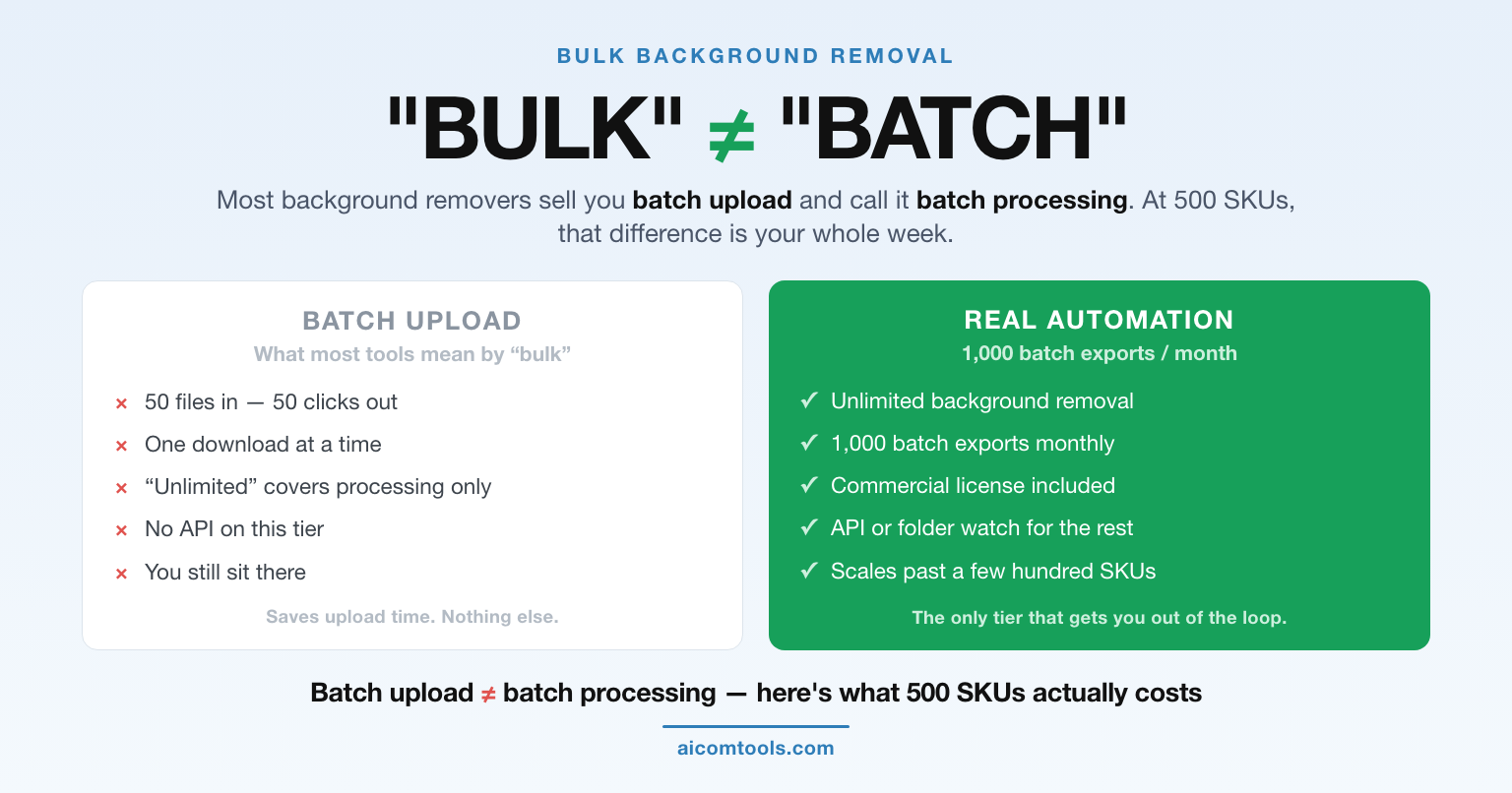
- Batch upload — you drop 50 files in at once, but you still review and export them one by one. Saves uploading time. Saves nothing else.
- Batch export — you process a group and download the results together. This is what most tools market as “bulk.” It’s real time savings, but it’s still you sitting there.
- True automation — a folder watch, a CSV import, or an API call that runs without you. This is the only tier that scales past a few hundred images.
Most buyers think they’re getting #3 and end up with #2. That mismatch is where the refund requests come from.
Pixelcut (now at pixa.com): the most explicit limits
First thing worth knowing: Pixelcut moved its main site to pixa.com. The product is still called Pixelcut — the old pixelcut.com domain now just sits there parked. Depending on where you click, you’ll land in different places. Same tool.
Pixelcut is the one tool here that publishes an actual batch-export number on its pricing page, which makes it the easiest to cost out:
- Free ($0) — limited background removal, limited upscaling. Fine for testing. Not a workflow.
- Pro ($10/month, or $8/month billed yearly) — unlimited background removal and unlimited upscaling, 600 AI credits per month, 1,000 batch exports per month, commercial license, 3 seats.
- Business ($30/month, or $24/month billed yearly) — 3,600 credits, 2,000 batch exports per month, 10 seats, commercial license.
Two things stand out. One: background removal is unlimited on paid plans — Pixelcut is not charging you per cutout, it’s charging you for exports and AI credits. Two: the batch export cap is a real number, not “up to” marketing. If your catalog is 1,500 SKUs, you know exactly which tier you need.
Worth noting: the free tier exports without a watermark, which is unusual in this category. Most competitors put a watermark on the free tier specifically to push you into a paid plan.
PhotoRoom: built for catalog scale, priced for it
PhotoRoom’s positioning is different. It never calls itself a background remover first — it’s product photography, and background removal is one tool inside a bigger workflow. That shows up in how it handles volume.
Its Batch Processing feature is described on its own pricing page as “edit thousands at once,” and it sits alongside a Product Catalog feature for managing a full catalog and an API for integrating at scale. There’s also a Photoroom MCP connector, so you can drive it from Claude — a genuinely useful option if you already run an AI workflow.
The paid tier starts at $12.99/month for Pro (that figure comes from PhotoRoom’s own pricing page markup). The plans above that scale toward API access, governance and SLAs.
Where this bites: PhotoRoom’s strength is that it goes beyond cutouts — staging, fashion models, virtual try-on, video. If you only need the background gone, you’re paying for a photo studio. If you need the studio, this is the tool that does it and the per-image cost math changes completely.
Phot.ai: credits first, batch second
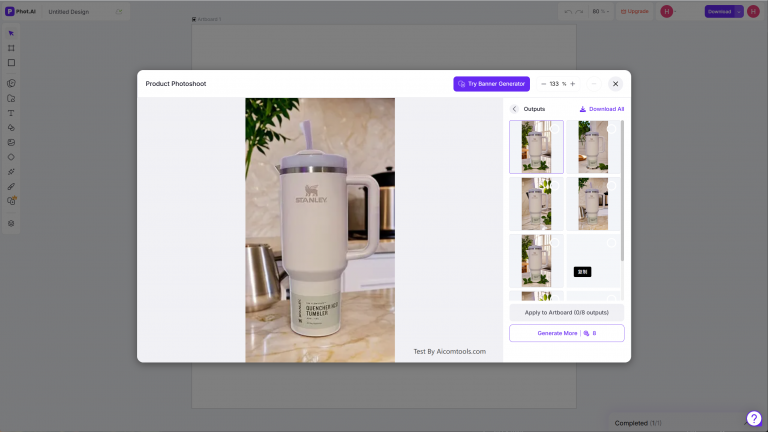
Phot.ai has been repositioning itself toward direct-to-consumer sellers and marketplace publishing. The batch features are there — bulk edit in multi-image mode and batch angle testing — but the whole model runs on credits, not on images.
Its Pro tier lists 1,500 credits per month, and credits get consumed by whichever AI operation you run. That means the effective cost of a batch job depends entirely on what you’re doing per image. Two sellers on the same plan can have wildly different real costs depending on whether they’re cutting out backgrounds or generating ad variants.
That’s not a flaw — it’s how credit models work. But it does mean you should not compare Phot.ai’s headline price to Pixelcut’s headline price. Compare the cost of your specific job.
Phot.ai changes its pricing and plan structure fairly often, so check the live pricing page before you commit to a number — we deliberately don’t quote a figure here that could be stale by the time you read it.
The ugly truth about batch background removal
1. “Unlimited” usually means unlimited processing, not unlimited export. Read that twice. Several tools let you process as much as you want and then meter the downloading. Pixelcut is honest about it — 1,000 or 2,000 exports per month. Others are less clear.
2. Batch processing is not unattended. Even the good implementations require you to select files, confirm settings and trigger the job. If your catalog updates weekly, you’re doing this weekly. Only an API or a folder-watch integration gives you hands-off.
3. Commercial licensing is not uniform. “Commercial license” on a paid tier sounds like boilerplate. It isn’t. Some tools restrict resale of the output, some restrict the free tier only, some attach conditions to marketplace listing use. Read the license on the specific tier you’re buying, not the marketing page.
4. Consistency matters more than quality. If you batch-process 500 images with slightly different settings, you get 500 slightly different-looking product photos, and your storefront looks messy. Locking one preset and applying it everywhere is worth more than squeezing out 5% better edge detection on any single image.
5. The API is a different budget. If you’re a real catalog-size seller, you’ll end up on an API, not a web app. API pricing is per-image and billed monthly — sometimes with a minimum. That’s a several-times-larger number than the consumer plan you started pricing out.
The verdict
Buy Pixelcut if you want a fixed, predictable batch number and don’t need anything beyond cutouts and upscaling. 1,000 exports on Pro handles most small-catalog sellers, and unlimited background removal means you’re never doing mental math per image. Try Pixelcut Pro here.
Buy PhotoRoom if the background removal is only step one and you also need staging, model shots or video. The catalog and API tier is where it pays for itself — at catalog scale, the per-image math stops mattering and the workflow matters instead. See PhotoRoom pricing.
Buy Phot.ai if your bottleneck is ad creative at scale rather than pure cutouts. The bulk multi-image mode and batch angle testing are genuinely aimed at testing multiple creative directions, not at cleaning up a product catalog.
Skip all three and go straight to an API if you’re processing more than a few thousand images a month. At that volume, no consumer plan survives contact with the numbers, and you’ll spend more time fighting export caps than selling.
FAQ
What is the fastest way to remove backgrounds from hundreds of product photos?
Batch export on a paid plan — not batch upload. On Pixelcut Pro you get 1,000 batch exports per month with unlimited background removal, which covers most sellers under a thousand SKUs. Above that, you want an API rather than a web app.
Does bulk background removal have a free option?
Every tool here has a free tier, but none of them are built for batch work. Free tiers typically cap resolution, add limitations on background removal, or restrict commercial use. They’re for testing whether the cutout quality is good enough for your products — not for running a catalog through.
Is a commercial license included in bulk plans?
On paid tiers, usually yes — Pixelcut’s Pro and Business plans both list a commercial license, for example. But the terms differ between tools and between tiers, and free tiers frequently exclude commercial use. Check the license attached to the plan you actually intend to buy.
Does bulk processing produce consistent-looking product photos?
Only if you lock a single preset and apply it to everything. Batch tools will happily let you vary settings per image, which is how catalogs end up looking inconsistent. Pick one background, one shadow setting and one output size, then never change it mid-batch.
Did Pixelcut change its name?
No — the product is still called Pixelcut. What moved is the domain: Pixelcut’s main site is now at pixa.com, and the old pixelcut.com address is parked. If you follow an old bookmark and land on a near-empty page, that’s why.
🚀 Ready to upgrade your product photography?
Try Phot.ai — the tool that aced our tests. Get 50 free credits to start.
Try Phot.ai Free →Affiliate Disclosure: Some links on this page are affiliate links. If you click and make a purchase, we may earn a commission — at no extra cost to you. See our full Affiliate Disclosure for details.